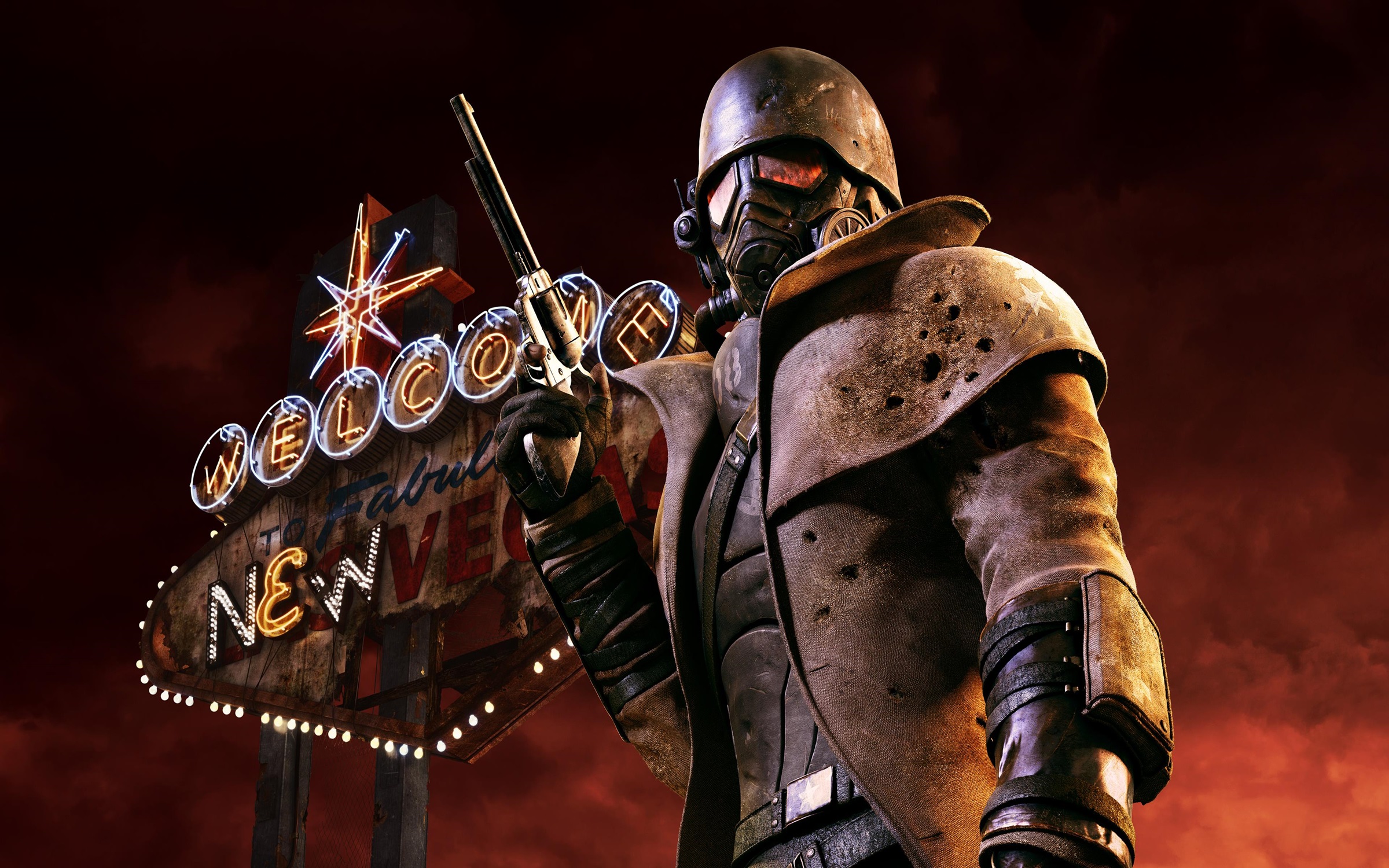
FNV Realistic Wasteland Lighting
Autor:sal203Last updated:21/11/2018 09:01:481.9M18.8MB

Pre-dependencies

Mod Introduction
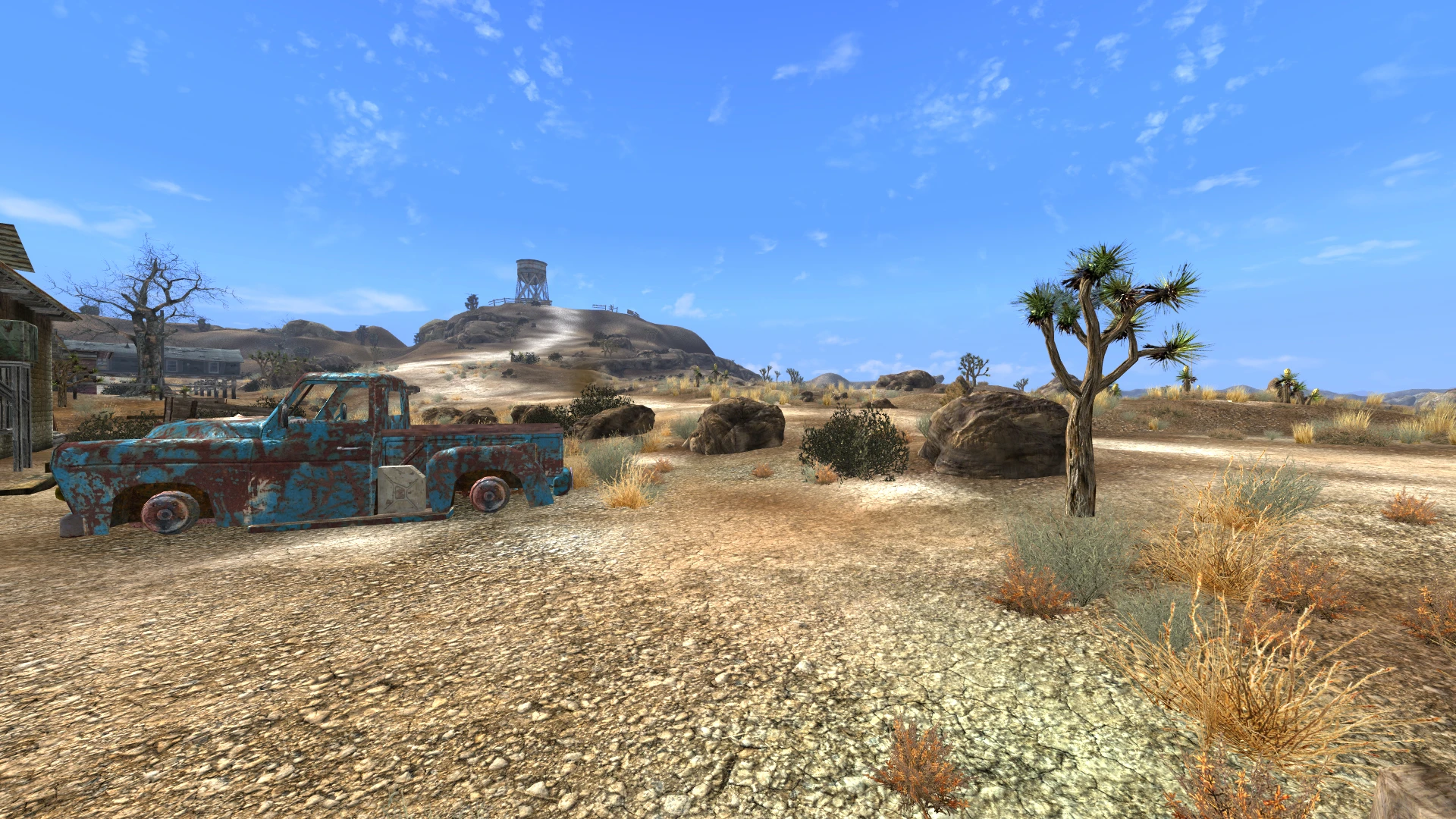
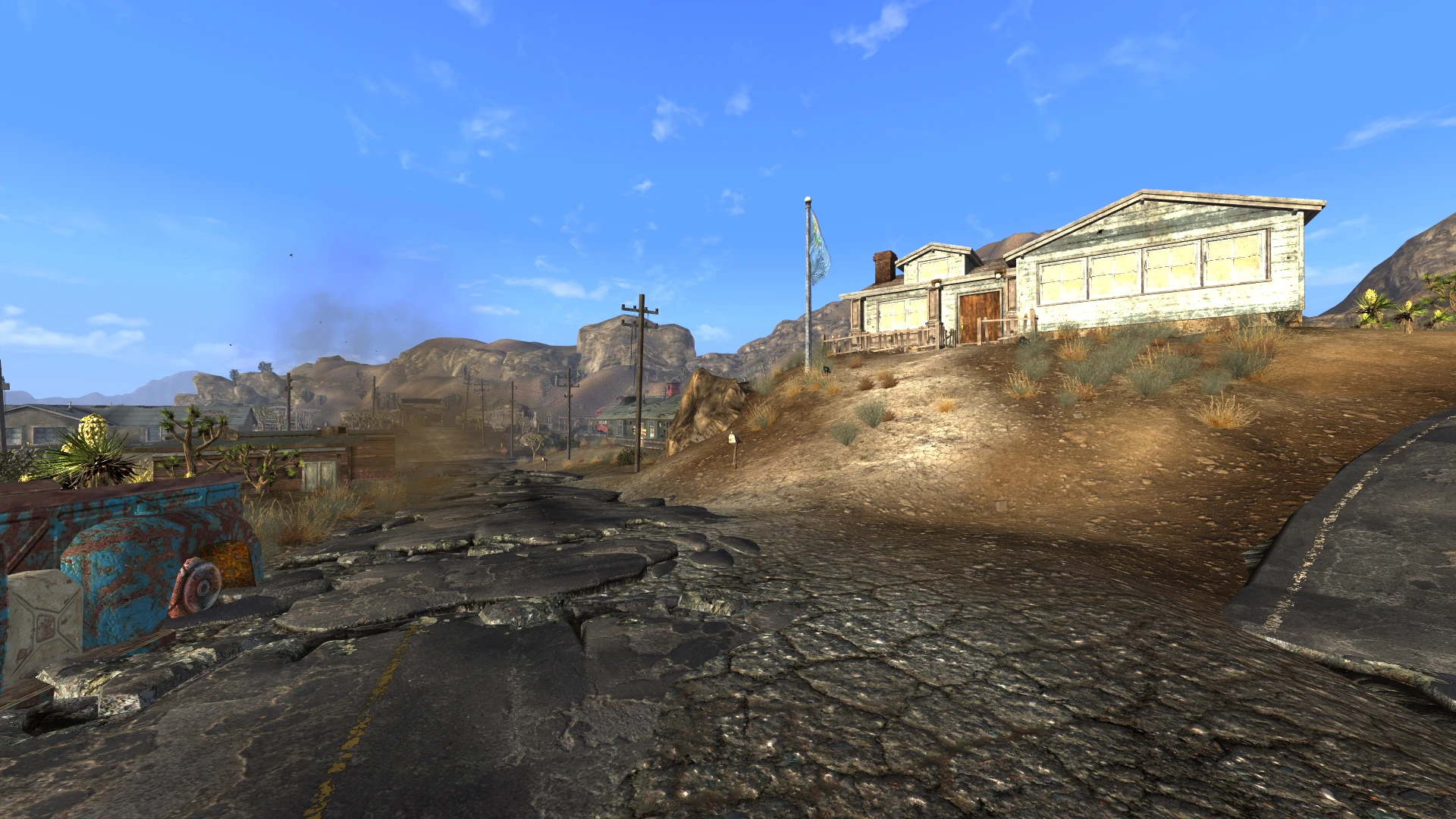
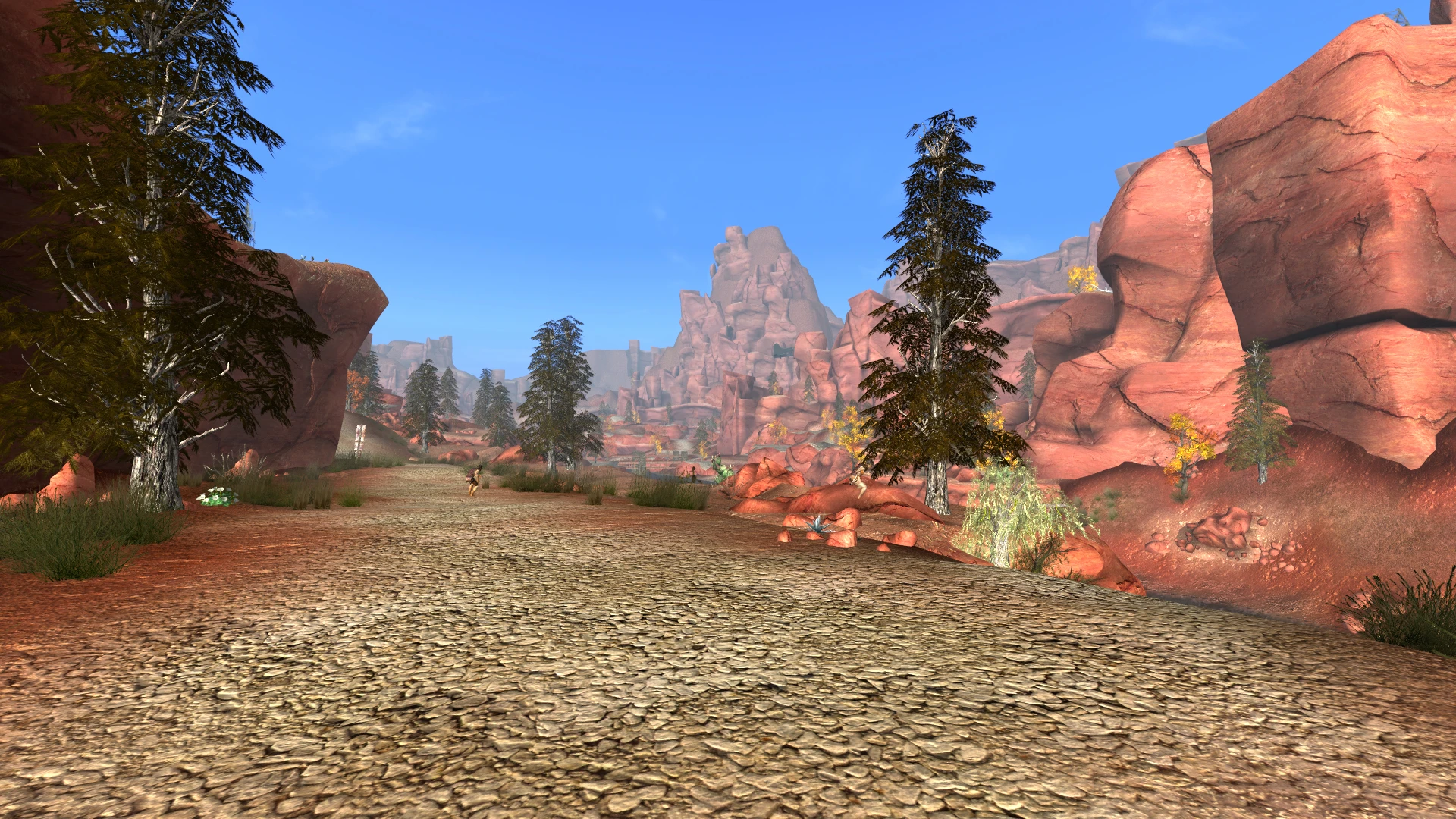
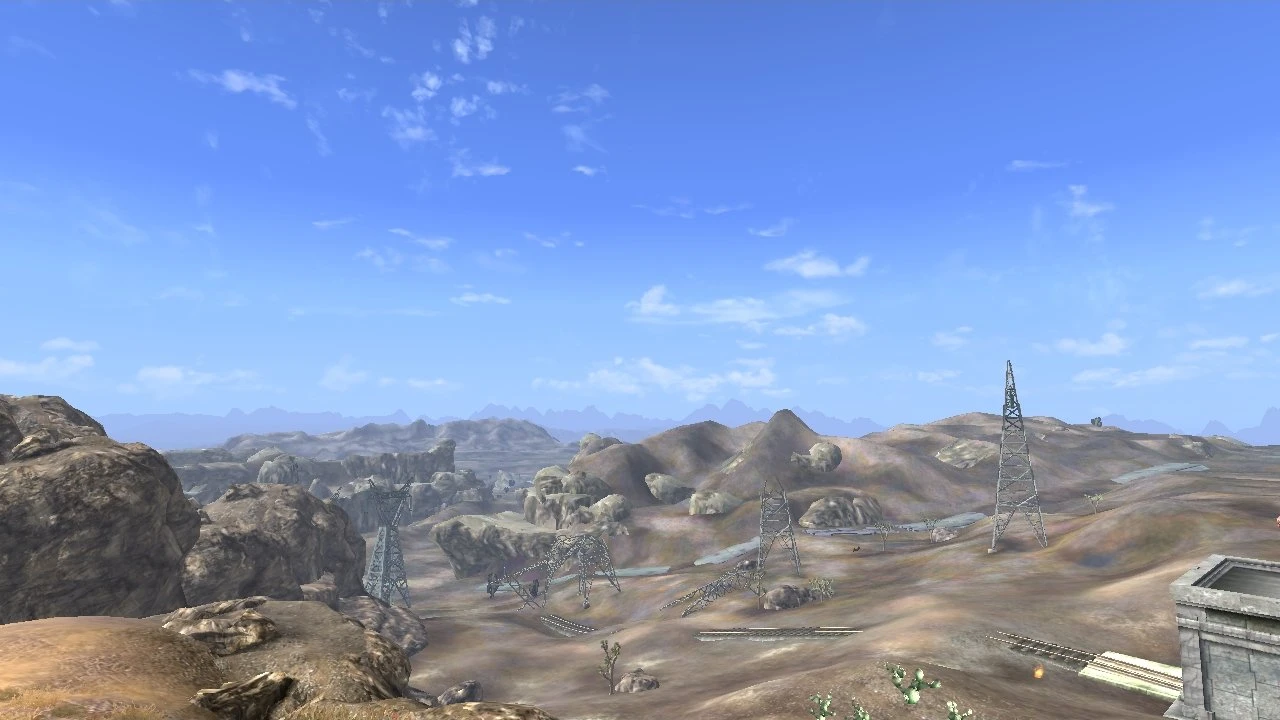
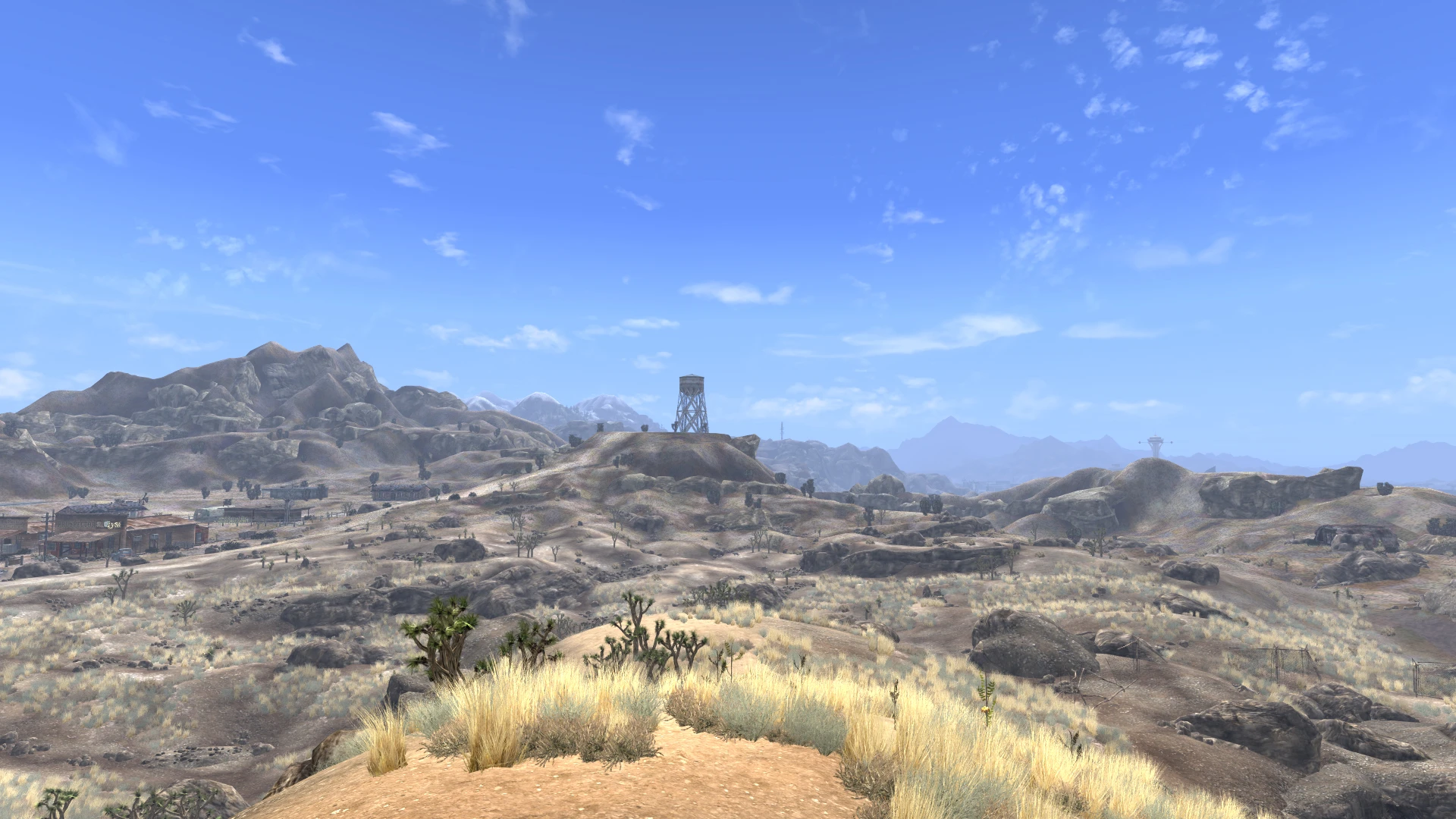
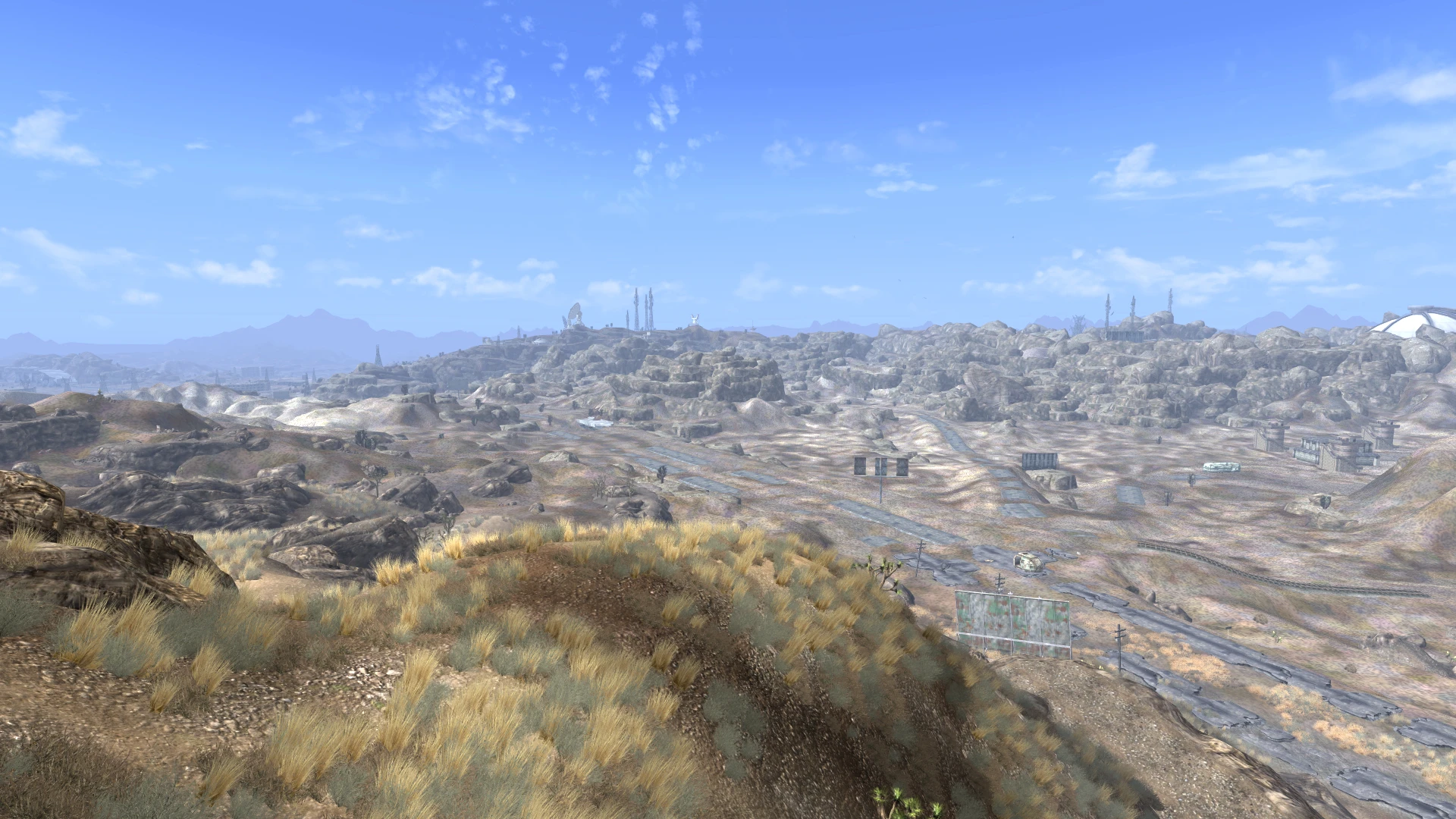
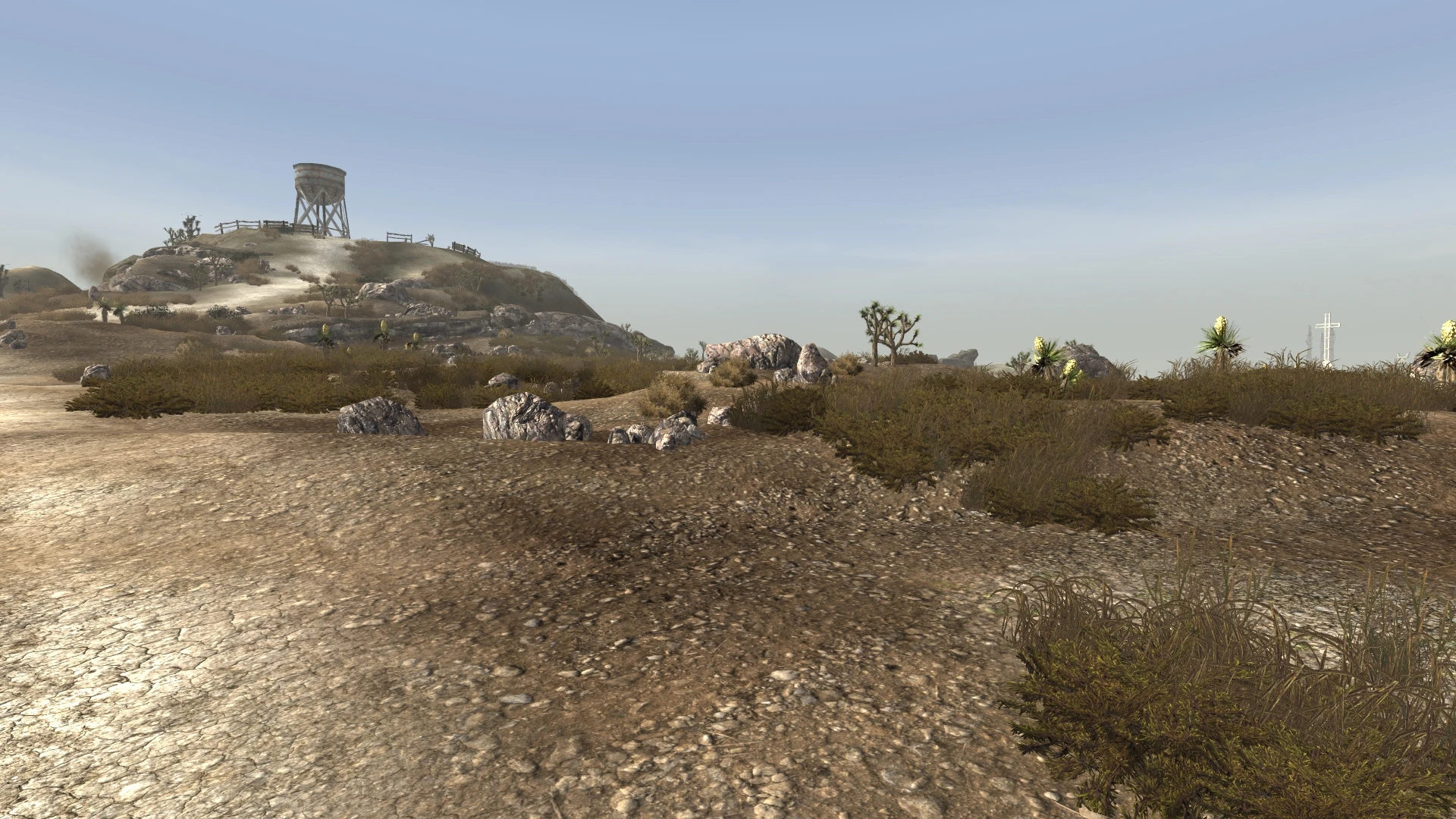
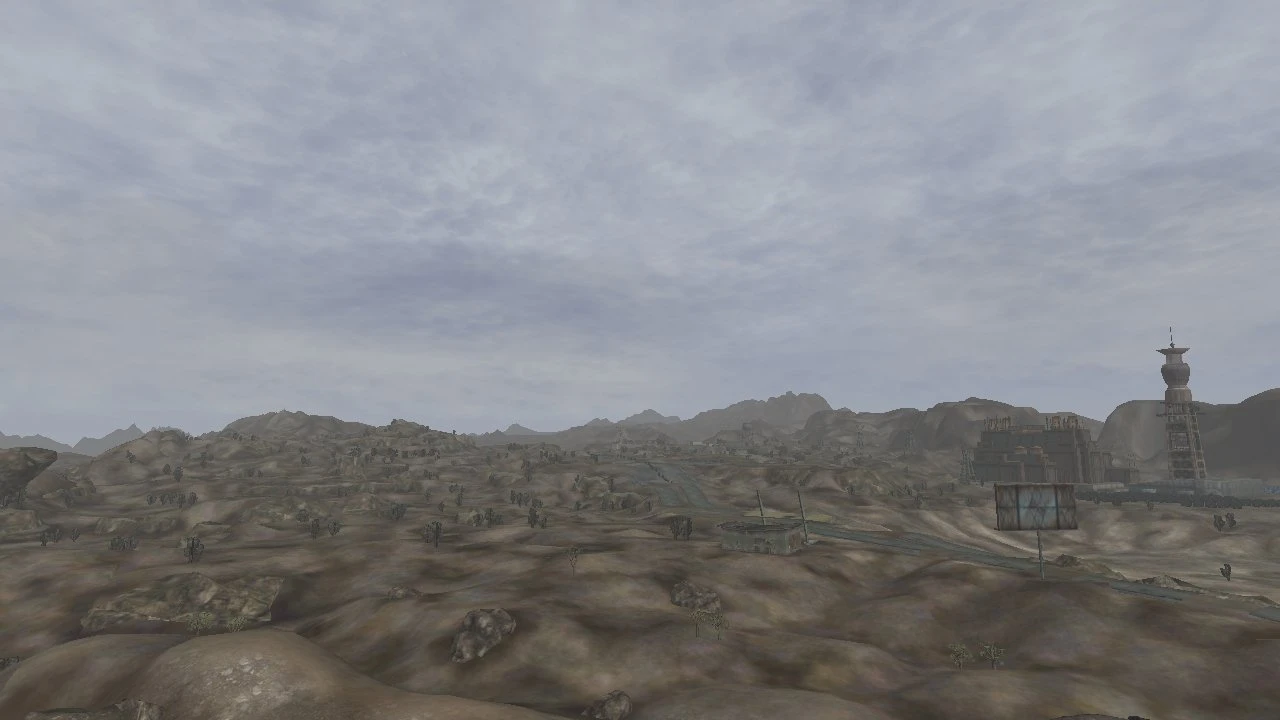
A complete weather overhaul for Fallout: New Vegas and its DLCs, with full support for Tale of Two Wastelands. Designed to make the game look more realistic. Enhances lighting, weather, clouds, stars, the moon, and the overall look and feel of the

Name: FNV Realistic Wasteland Lighting
Authors: Sal203 & Camo
Version: v5.542
Date: 2018-11-21

Compared to real life, Fallout New Vegas doesn't look great right out of the box. Desaturation and color filters make the game look like yellow pee—or green puke if you're in DC. As someone who enjoys both the original Fallout games and the outdoors, I wasn't a fan. What I wanted was a mod that makes the game and its DLCs look photorealistic, without being too heavy on performance. I've tried nearly every weather mod on the Nexus looking for a solution, and while they're excellent, they didn't quite do what I had in mind—so I made my own. Using reference photos, I've created a mod that I hope brings a more realistic look to New Vegas.
RWL was made using, and is intended for use with Fallout: New Vegas Ultimate Edition or Tale of Two Wastelands.
The versions released from September 2014 onward include more clear weather variations, each with unique cloud patterns, as well as added dusty, overcast, and hazy weather variants. It also features significantly improved cloud textures, high-quality moon and star textures, and a host of bug fixes and minor improvements scattered throughout.

New Installation
1. Download with manager or manually
2. Make sure the downloaded files are in your "Data" folder.
3. Make sure your preferred version of RWL is enabled and loads last.
4. Load optional files after the main file, and overwrite when prompted.
5. If installed on an existing save, you may need to wait a few days using the wait menu for changes to take effect
6. Calibrate your monitor—most screens default to showroom settings at 100% brightness with incorrect color profiles.
7. It's recommended to enable HDR in the game settings.
Updating
1. Make sure to delete all old files from previous RWL versions.
2. Proceed as above

Note about YUP: All conflicting YUP fixes have been integrated into RWL
It is imperative that this mod is loaded last — after your merged patch — even if no conflicts appear in FNVEdit. Not doing so will cause bugs.
**"White out" bug:** [FIXED]
Users reported screen whiting out in certain locations at specific times of day. Testing showed that waiting one hour using the "wait" menu resolved the issue. The problem was caused by a conflict between the "Friend of the Night" and "Cateye" quest scripts. A subsequent patch by RoyBatterian, based on edits from Yukichigai and JaxFirehart, appears to have fixed it.
"Black flashing sky" bug: [FIXED]
Users have reported a black flashing sky when exiting interiors into overcast weather or during transitions. The issue is believed to stem from the game's lightning system playing even when no color or chance has been set. A fix has been implemented that changes the thunder sound to the default type. No changes have been made to the playback of the sound, as it already loops with random thunder.
Ground textures in the sky or vice versa: [INSTALLATION ERROR]
Caused by missing textures, ENB transparency settings, or load order. Make sure your download isn’t corrupted and that everything is installed correctly. Always use the latest ENB binaries. Always load FNVRWL last. Try re-downloading the mod.
Occasionally, clouds will vanish from the sky during weather transitions: [VANILLA ENGINE ISSUE]
They will reappear after a while without any player input. This is an engine issue.
MODS THAT MAY CONFLICT
Interior Lighting Overhaul, Megaton Lighting Overhaul, and OWB Path Lights are all compatible with RWL, but RWL must be loaded after all of these mods. DON'T USE THE DARKER NIGHTS OPTIONAL FOR OWB Path Lights!
NEVADA SKIES, Project Reality, Fellout & other weather mods are not compatible with FNVRWL. They may be partially compatible, but since these mods do the same thing, important data will be overwritten. It is entirely possible to combine weather mods if you have the skill with xEdit and some time.
Mojave Nights also replaces star and moon textures. Install it after FNVRWL and overwrite if you prefer its textures.
Some users have reported issues with Mission Mojave. We strongly recommend not using this mod with RWL, and instead using a clean bug fix like YUP or TTW fixes, just to be safe.

Motion Sickness Destroyer by tgspy
https://www.nexusmods.com/newvegas/mods/65732?tab=files
Interior Lighting Overhaul by Sarge198 and Killergrimm
http://newvegas.nexusmods.com/mods/35794
The IMAGINATOR by MyGoodEye and Marcurios
http://newvegas.nexusmods.com/mods/39619
Onix - a bright, realistic ENB made especially for FNV RWL by xCamoLegend
www.nexusmods.com/newvegas/mods/55318
The ENB of the Apocalypse - a bleak, high-contrast ENB preset created specifically for FNV RWL by Shrutesh
http://www.nexusmods.com/newvegas/mods/50782/
NMC's Texture Pack by NMC – in my opinion, the best texture pack on the Nexus
http://www.nexusmods.com/newvegas/mods/43135
Sunglasses and Cateye Goggles or Working Sunglasses by Silverblaze55 and Anubisiris respectively
http://www.nexusmods.com/newvegas/mods/39456
http://www.nexusmods.com/newvegas/mods/42244

Use whatever you want, just credit us and send us a link to the mod you make. Some of the current cloud textures are heavily edited from www.cepolina.com, a free to use stock photo site that requires only acknowledgement for the use of its photos. If you use the cloud textures from this mod, you must credit www.cepolina.com as per their guidelines. The remaining textures are original work, so make sure to credit us, Sal203 & xCamoLegend, if you use them, but no permission is necessary.

Sal203 & Camo - Mod Authors
Yukichigai & Sandbox - Bug Fixes
JaxFirehart - Bug Fixes
KiCHo666 - Old Merged Version
Kai Hohiro - Old TTW Version
www.cepolina.com - Cloud Texture Source
RoyBatty - Help, TTW Versions & Bug Fixes
Name: FNV Realistic Wasteland Lighting
Authors: Sal203 & Camo
Version: v5.542
Date: 2018-11-21
Compared to real life, Fallout New Vegas doesn't look great right out of the box. Desaturation and color filters make the game look like yellow pee—or green puke if you're in DC. As someone who enjoys both the original Fallout games and the outdoors, I wasn't a fan. What I wanted was a mod that makes the game and its DLCs look photorealistic, without being too heavy on performance. I've tried nearly every weather mod on the Nexus looking for a solution, and while they're excellent, they didn't quite do what I had in mind—so I made my own. Using reference photos, I've created a mod that I hope brings a more realistic look to New Vegas.
RWL was made using, and is intended for use with Fallout: New Vegas Ultimate Edition or Tale of Two Wastelands.
The versions released from September 2014 onward include more clear weather variations, each with unique cloud patterns, as well as added dusty, overcast, and hazy weather variants. It also features significantly improved cloud textures, high-quality moon and star textures, and a host of bug fixes and minor improvements scattered throughout.
New Installation
1. Download with manager or manually
2. Make sure the downloaded files are in your "Data" folder.
3. Make sure your preferred version of RWL is enabled and loads last.
4. Load optional files after the main file, and overwrite when prompted.
5. If installed on an existing save, you may need to wait a few days using the wait menu for changes to take effect
6. Calibrate your monitor—most screens default to showroom settings at 100% brightness with incorrect color profiles.
7. It's recommended to enable HDR in the game settings.
Updating
1. Make sure to delete all old files from previous RWL versions.
2. Proceed as above
Note about YUP: All conflicting YUP fixes have been integrated into RWL
It is imperative that this mod is loaded last — after your merged patch — even if no conflicts appear in FNVEdit. Not doing so will cause bugs.
Users reported screen whiting out in certain locations at specific times of day. Testing showed that waiting one hour using the "wait" menu resolved the issue. The problem was caused by a conflict between the "Friend of the Night" and "Cateye" quest scripts. A subsequent patch by RoyBatterian, based on edits from Yukichigai and JaxFirehart, appears to have fixed it.
Users have reported a black flashing sky when exiting interiors into overcast weather or during transitions. The issue is believed to stem from the game's lightning system playing even when no color or chance has been set. A fix has been implemented that changes the thunder sound to the default type. No changes have been made to the playback of the sound, as it already loops with random thunder.
Ground textures in the sky or vice versa: [INSTALLATION ERROR]
Caused by missing textures, ENB transparency settings, or load order. Make sure your download isn’t corrupted and that everything is installed correctly. Always use the latest ENB binaries. Always load FNVRWL last. Try re-downloading the mod.
Occasionally, clouds will vanish from the sky during weather transitions: [VANILLA ENGINE ISSUE]
They will reappear after a while without any player input. This is an engine issue.
MODS THAT MAY CONFLICT
Interior Lighting Overhaul, Megaton Lighting Overhaul, and OWB Path Lights are all compatible with RWL, but RWL must be loaded after all of these mods. DON'T USE THE DARKER NIGHTS OPTIONAL FOR OWB Path Lights!
NEVADA SKIES, Project Reality, Fellout & other weather mods are not compatible with FNVRWL. They may be partially compatible, but since these mods do the same thing, important data will be overwritten. It is entirely possible to combine weather mods if you have the skill with xEdit and some time.
Mojave Nights also replaces star and moon textures. Install it after FNVRWL and overwrite if you prefer its textures.
Some users have reported issues with Mission Mojave. We strongly recommend not using this mod with RWL, and instead using a clean bug fix like YUP or TTW fixes, just to be safe.
Motion Sickness Destroyer by tgspy
https://www.nexusmods.com/newvegas/mods/65732?tab=files
Interior Lighting Overhaul by Sarge198 and Killergrimm
http://newvegas.nexusmods.com/mods/35794
The IMAGINATOR by MyGoodEye and Marcurios
http://newvegas.nexusmods.com/mods/39619
Onix - a bright, realistic ENB made especially for FNV RWL by xCamoLegend
www.nexusmods.com/newvegas/mods/55318
The ENB of the Apocalypse - a bleak, high-contrast ENB preset created specifically for FNV RWL by Shrutesh
http://www.nexusmods.com/newvegas/mods/50782/
NMC's Texture Pack by NMC – in my opinion, the best texture pack on the Nexus
http://www.nexusmods.com/newvegas/mods/43135
Sunglasses and Cateye Goggles or Working Sunglasses by Silverblaze55 and Anubisiris respectively
http://www.nexusmods.com/newvegas/mods/39456
http://www.nexusmods.com/newvegas/mods/42244
Use whatever you want, just credit us and send us a link to the mod you make. Some of the current cloud textures are heavily edited from www.cepolina.com, a free to use stock photo site that requires only acknowledgement for the use of its photos. If you use the cloud textures from this mod, you must credit www.cepolina.com as per their guidelines. The remaining textures are original work, so make sure to credit us, Sal203 & xCamoLegend, if you use them, but no permission is necessary.
Sal203 & Camo - Mod Authors
Yukichigai & Sandbox - Bug Fixes
JaxFirehart - Bug Fixes
KiCHo666 - Old Merged Version
Kai Hohiro - Old TTW Version
www.cepolina.com - Cloud Texture Source
RoyBatty - Help, TTW Versions & Bug Fixes
This tool is provided by the third party [bufftool]

Download Mods For Free
Install LagoFast, start Fallout: New Vegas and play with the mods you love.
We use cookies to make interactions with our websites andservices easy and meaningful. For more information aboutthe cookies we use or to find out how you can disable cookies, click here.