
Sprint Mod
Autor:thordomrLast updated:24/11/2010 05:50:291.3M1.8MB

Mod Introduction
This is the sprint mod by Lork, tweaked by Ez0n3. Updated for NVSE compatibility.
*Notice*
NVSE is still in beta. The NVSE-related features of this mod may or may not work for you at this time (though they most likely will). If NVSE mode is not functioning, please try running the "NVSE Key Press Detection Utility" (NVSE_KPD) located under "This Mod -> Files -> Miscellaneous" to check if NVSE is working properly. If the test fails, you may need to wait for a stable, non-beta release of NVSE before using this mod's NVSE mode. Always make sure you are using the latest version of NVSE.
Version: 1.4
Date: 2010/11/23
Category: Gameplay Effects and Changes
Requirements: New Vegas Script Extender (NVSE) Required for some features
Original Author: Lork
Perk icons by Drag0ntamer
Male breathing sounds by bluehiro
Female breathing sounds by Diegog5
Your request must include the source text for me to translate. Please provide the text you want translated into English. http://www.fallout3nexus.com/downloads/file.php?id=1854
**Forum:** http://www.bethsoft.com/bgsforums/index.php?showtopic=940474
Description
I'd be happy to translate your text to English, but it appears you haven't included any source text after the separator line. Could you please provide the text you'd like me to translate?
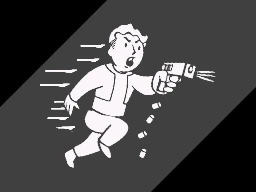
Adds a sprint button. Now you can run freely across the wasteland, just like you’ve always wanted—limited only by your action points.
Details
I'd be happy to help, but it seems you haven't provided the source text to translate. Could you please paste the text you'd like me to translate into English?
With NVSE: The sprint key replaces the run key. Simply hold down run to sprint. -OR- If you would like to preserve the functionality of the run key, you can set a custom keybinding from the control settings menu of the pedometer.
Without NVSE: In NoNVSE mode, you must bind the Vault-Tek Pedometer in your inventory to a hotkey. To start sprinting, press the sprint hotkey and then move forward. To stop sprinting, press the hotkey again. To bind a hotkey, hold down a number key while viewing the inventory and click on the item you want to bind. You can set a sprint delay in the settings menu of the pedometer, which will allow you to run for a certain amount of time without sprinting. So if you choose a delay of 2 you'll need to run forward for 2 seconds before you start sprinting.
For both: Sprinting consumes action points. If you run out, you'll need to wait for them to recharge. The higher your endurance, the less AP sprinting costs, and the more agility you have, the faster you move. Your carried weight also affects speed. Sprinting is disabled in certain situations, such as when your legs are broken or you're overencumbered. Various visual effects enhance the sense of speed. For information on speed and distance potential, and to adjust related settings, use the Pedometer in the apparel section of your inventory.
**Perks:**
Tackle
Sprint into a hostile enemy (must be aggressive) to attempt a tackle. Your strength and unarmed skill are checked against their strength and endurance. If you succeed, they are knocked down. Fail by too much, and you might end up on the ground yourself — so be careful! Each tackle attempt costs 1/4 of your AP, so don't waste it all before you get there.
Charge! (##025888)
With this perk, you can keep your weapon drawn while sprinting. Just don't expect great accuracy while doing so.
Formulas:
Speed multiplier: 100 (base speed) + (Agility × 4 + 40 × (1 − (current weight / max weight))) × SprintSpeedMultGLOB
AP drain: ( (25 - Endurance) × SprintAPMultGLOB ) per second
**Tweaks:**
SprintSpeedMultGLOB and SprintAPMultGLOB are global variables that can be adjusted easily in the GECK or in-game via the console. Sprint speed and AP drain are each multiplied by these values. For example, to halve sprint speed, set SprintSpeedMultGLOB to 0.5. Setting SprintAPMultGLOB to 0 allows unlimited sprinting. Both default to 1.
You can force the mod to run in NoNVSE mode by setting SprintForceNoNVSEGLOB to 1. (Yes, it really says SprintForceNoNVSEGLOB, so sue me.) To set a variable in-game, open the console with the tilde (~) key and enter "set x to y" (without quotes), where x is the variable and y is the value you want to set. Install ======= 1. Extract the files to a temporary location. 2. Check the folder structure and correct if necessary. 3. Copy the files to (install folder)\Fallout New Vegas\Data\ 4. Launch Fallout Launcher, click 'Data Files', and check the .esp file(s) you want to activate. Uninstall ========= 1. Launch Fallout Launcher, click 'Data Files', and uncheck the .esp file(s). 2. Delete the files and folders associated with the mod. Fallout New Vegas\Data\Sprint Mod.esp Packed: Fallout New Vegas\Data\Sprint Mod - Sound.bsa Fallout New Vegas\Data\Sprint Mod - Textures.bsa Unpacked: Fallout New Vegas\Data\sound\fx\Sprint\ Fallout New Vegas\Data\textures\interface\icons\pipboyimages\perks\Sprint\ Credits ======= Thanks to Lork for creating this mod. Licensing/Legal =============== You may do whatever you want with this mod, but all I ask is that you credit Lork if you distribute any part of it. He would also like to know which mods include his work. Here is a link to the original mod: <a href="http://www.fallout3nexus.com/downloads/file.php?id=1854" rel="nofollow"> http://www.fallout3nexus.com/downloads/file.php?id=1854 </a>
NVSE is still in beta. The NVSE-related features of this mod may or may not work for you at this time (though they most likely will). If NVSE mode is not functioning, please try running the "NVSE Key Press Detection Utility" (NVSE_KPD) located under "This Mod -> Files -> Miscellaneous" to check if NVSE is working properly. If the test fails, you may need to wait for a stable, non-beta release of NVSE before using this mod's NVSE mode. Always make sure you are using the latest version of NVSE.
Version: 1.4
Date: 2010/11/23
Category: Gameplay Effects and Changes
Requirements: New Vegas Script Extender (NVSE) Required for some features
Original Author: Lork
Perk icons by Drag0ntamer
Male breathing sounds by bluehiro
Female breathing sounds by Diegog5
Your request must include the source text for me to translate. Please provide the text you want translated into English. http://www.fallout3nexus.com/downloads/file.php?id=1854
**Forum:** http://www.bethsoft.com/bgsforums/index.php?showtopic=940474
Description
I'd be happy to translate your text to English, but it appears you haven't included any source text after the separator line. Could you please provide the text you'd like me to translate?
Adds a sprint button. Now you can run freely across the wasteland, just like you’ve always wanted—limited only by your action points.
Details
I'd be happy to help, but it seems you haven't provided the source text to translate. Could you please paste the text you'd like me to translate into English?
With NVSE: The sprint key replaces the run key. Simply hold down run to sprint. -OR- If you would like to preserve the functionality of the run key, you can set a custom keybinding from the control settings menu of the pedometer.
Without NVSE: In NoNVSE mode, you must bind the Vault-Tek Pedometer in your inventory to a hotkey. To start sprinting, press the sprint hotkey and then move forward. To stop sprinting, press the hotkey again. To bind a hotkey, hold down a number key while viewing the inventory and click on the item you want to bind. You can set a sprint delay in the settings menu of the pedometer, which will allow you to run for a certain amount of time without sprinting. So if you choose a delay of 2 you'll need to run forward for 2 seconds before you start sprinting.
For both: Sprinting consumes action points. If you run out, you'll need to wait for them to recharge. The higher your endurance, the less AP sprinting costs, and the more agility you have, the faster you move. Your carried weight also affects speed. Sprinting is disabled in certain situations, such as when your legs are broken or you're overencumbered. Various visual effects enhance the sense of speed. For information on speed and distance potential, and to adjust related settings, use the Pedometer in the apparel section of your inventory.
**Perks:**
Tackle
Sprint into a hostile enemy (must be aggressive) to attempt a tackle. Your strength and unarmed skill are checked against their strength and endurance. If you succeed, they are knocked down. Fail by too much, and you might end up on the ground yourself — so be careful! Each tackle attempt costs 1/4 of your AP, so don't waste it all before you get there.
Charge! (##025888)
With this perk, you can keep your weapon drawn while sprinting. Just don't expect great accuracy while doing so.
Formulas:
Speed multiplier: 100 (base speed) + (Agility × 4 + 40 × (1 − (current weight / max weight))) × SprintSpeedMultGLOB
AP drain: ( (25 - Endurance) × SprintAPMultGLOB ) per second
**Tweaks:**
SprintSpeedMultGLOB and SprintAPMultGLOB are global variables that can be adjusted easily in the GECK or in-game via the console. Sprint speed and AP drain are each multiplied by these values. For example, to halve sprint speed, set SprintSpeedMultGLOB to 0.5. Setting SprintAPMultGLOB to 0 allows unlimited sprinting. Both default to 1.
You can force the mod to run in NoNVSE mode by setting SprintForceNoNVSEGLOB to 1. (Yes, it really says SprintForceNoNVSEGLOB, so sue me.) To set a variable in-game, open the console with the tilde (~) key and enter "set x to y" (without quotes), where x is the variable and y is the value you want to set. Install ======= 1. Extract the files to a temporary location. 2. Check the folder structure and correct if necessary. 3. Copy the files to (install folder)\Fallout New Vegas\Data\ 4. Launch Fallout Launcher, click 'Data Files', and check the .esp file(s) you want to activate. Uninstall ========= 1. Launch Fallout Launcher, click 'Data Files', and uncheck the .esp file(s). 2. Delete the files and folders associated with the mod. Fallout New Vegas\Data\Sprint Mod.esp Packed: Fallout New Vegas\Data\Sprint Mod - Sound.bsa Fallout New Vegas\Data\Sprint Mod - Textures.bsa Unpacked: Fallout New Vegas\Data\sound\fx\Sprint\ Fallout New Vegas\Data\textures\interface\icons\pipboyimages\perks\Sprint\ Credits ======= Thanks to Lork for creating this mod. Licensing/Legal =============== You may do whatever you want with this mod, but all I ask is that you credit Lork if you distribute any part of it. He would also like to know which mods include his work. Here is a link to the original mod: <a href="http://www.fallout3nexus.com/downloads/file.php?id=1854" rel="nofollow"> http://www.fallout3nexus.com/downloads/file.php?id=1854 </a>
This tool is provided by the third party [bufftool]

Download Mods For Free
Install LagoFast, start Fallout: New Vegas and play with the mods you love.
We use cookies to make interactions with our websites andservices easy and meaningful. For more information aboutthe cookies we use or to find out how you can disable cookies, click here.