Console Command Runner
Autor:bobbyclueLast updated:31/01/2024 19:30:39265.1K2.7MB

Pre-dependencies
Mod Introduction
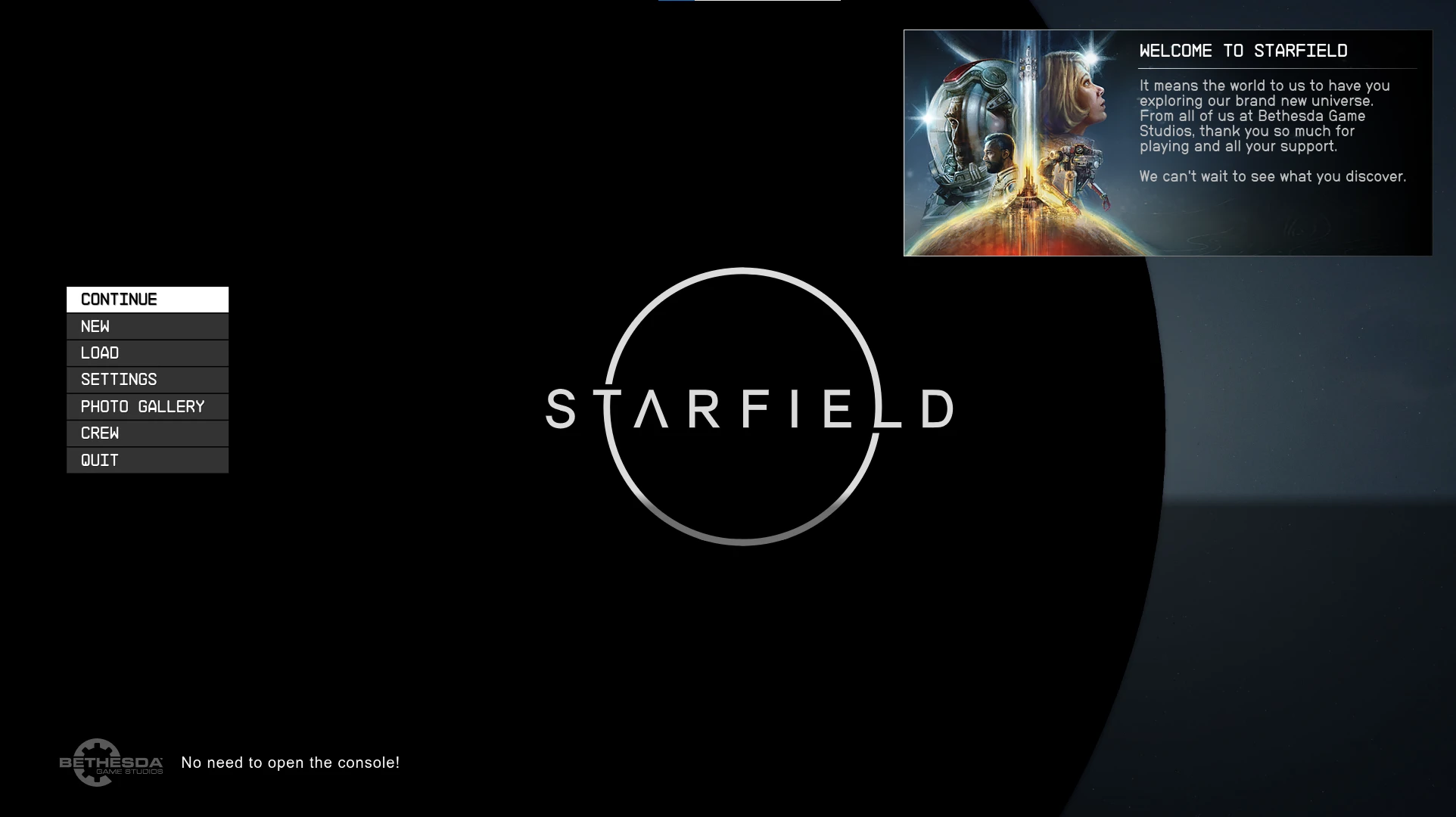
An SFSE plugin that automatically executes user-defined console commands at startup and when a menu opens or closes. No need to open the console!
What is it?
Console Command Runner is an SFSE plugin that automatically executes a list of console commands from user-defined .toml files.
Why?
While the base game includes an ini setting for running console commands at startup, I still had a few reasons to create my own implementation.
Eventually when the CK releases this mod will be made somewhat redundant, but in the meantime I hope that it can enable more people to start modding Starfield.
User Installation
Simply drop the mod into the game’s data folder, just like any other SFSE plugin.
**Requirements**
I also highly recommend Baka Achievement Enableras console commands would otherwise disable achievements.
Author Use
To create a Console Command Runner preset, first create a uniquely named .toml file in the Starfield\Data\SFSE\Plugins\ConsoleCommandRunner folder. Multiple .toml files can be loaded—no need to limit yourself to just one. This ensures compatibility with other mods.
In this new .toml file, create a layout that looks like this:
"[[Event]]" must precede each event. Inside the event, the event type must be defined. If an event has parameters, they should be listed. Then, the commands to be executed are listed. Any valid console command works here. Commands should be enclosed in apostrophes (quotes are also acceptable for commands without string parameters, meaning no nested quotes) and separated by commas.
And that's it!
Valid Event Names
Data Loaded
Fires when the main menu is first accessed after launching the game. Note that this occurs only once—loading another save or returning to the main menu will not trigger commands from this event again.
OnMenuOpenCloseEvent
Fires when a valid menu is opened or closed. Includes two parameters: asMenuName, which filters by menu type, and abOpening, which filters by whether the menu is opening.
Valid menu names include:
I see you haven't provided the source text yet. Please share the text you'd like me to translate, and I'll process it into natural English suitable for game localization.
Go easy on me, this is my first script extender plugin :p
Console Command Runner is an SFSE plugin that automatically executes a list of console commands from user-defined .toml files.
Why?
While the base game includes an ini setting for running console commands at startup, I still had a few reasons to create my own implementation.
- Editing the INI file to add at least one new command per mod can be tedious for users. Console Command Runner will execute as many commands as listed by one or more authors.
- Commands for this mod can trigger on menu open/close, in addition to when the main menu first loads, allowing for more dynamic and targeted command execution.
- I was eager to start modding Starfield! Plus, having the game's internal "execute command" function documented makes it easy to access a variety of other features that would otherwise take much more time to properly reverse engineer.
Eventually when the CK releases this mod will be made somewhat redundant, but in the meantime I hope that it can enable more people to start modding Starfield.
User Installation
Simply drop the mod into the game’s data folder, just like any other SFSE plugin.
**Requirements**
I also highly recommend Baka Achievement Enableras console commands would otherwise disable achievements.
Author Use
To create a Console Command Runner preset, first create a uniquely named .toml file in the Starfield\Data\SFSE\Plugins\ConsoleCommandRunner folder. Multiple .toml files can be loaded—no need to limit yourself to just one. This ensures compatibility with other mods.
In this new .toml file, create a layout that looks like this:
[[Event]]
    EventType = "DataLoaded"
    Commands = ['tgm', 'tcl', 'coc CityNeonEuphorika']

[[Event]]
    EventType = "OnMenuOpenCloseEvent"
    asMenuName = "BSMissionMenu"
    abOpening = true
    Commands = ['tgm', 'tcl']
"[[Event]]" must precede each event. Inside the event, the event type must be defined. If an event has parameters, they should be listed. Then, the commands to be executed are listed. Any valid console command works here. Commands should be enclosed in apostrophes (quotes are also acceptable for commands without string parameters, meaning no nested quotes) and separated by commas.
And that's it!
Valid Event Names
Data Loaded
Fires when the main menu is first accessed after launching the game. Note that this occurs only once—loading another save or returning to the main menu will not trigger commands from this event again.
OnMenuOpenCloseEvent
Fires when a valid menu is opened or closed. Includes two parameters: asMenuName, which filters by menu type, and abOpening, which filters by whether the menu is opening.
Valid menu names include:
**Spoiler:**
Show
# CursorMenu
# TitleSequenceMenu
# SleepWaitMenu
# SitWaitMenu
# MessageBoxMenu
# MainMenu - CURRENTLY NON FUNCTIONAL
# CreditsMenu
# LoadingMenu
# FanfareMenu
# HUDMenu
# FavoritesMenu
# DialogueMenu
# FaderMenu
# ContainerMenu
# ConsoleNativeUIMenu
# BookMenu
# Console
# Workshop_BlueprintMenu
# WorkshopTargetMenu
# WorkshopQuickMenu
# WorkshopMenu
# WorkshopBuilderMenu
# WeaponsCraftingMenu
# TextInputMenu
# PowersMenu
# TestMenu
# GenesisTerminalMenu
# StreamingInstallMenu
# StatusMenu
# GalaxyStarMapMenu
# TakeoffMenu
# SpaceshipHudMenu
# ScopeMenu
# PlayBinkMenu
# PauseMenu
# DrugsCraftingMenu
# DataMenu
# ChargenMenu
# SkillsMenu
# ShipRefuelMenu
# WeaponGroupAssignmentMenu
# ShipCrewAssignMenu
# ShipCrewMenu
# Security Menu
# Research Menu
# PickpocketMenu
# PhotoModeMenu
# MonocleMenu
# MissionBoard
#InventoryMenu
# IndustrialCraftingMenu
# HUD Messages Menu
# FoodCraftingMenu
# DataSlateMenu
# DataSlateButtons
# BSMissionMenu
# EndGameCreditsMenu
# BarterMenu
# ArmorCraftingMenu
# SpaceshipEditorMenu
# BoundaryMenu
# DocAcceptMenu
# PhotoGalleryMenu
# TitleSequenceMenu
# SleepWaitMenu
# SitWaitMenu
# MessageBoxMenu
# MainMenu - CURRENTLY NON FUNCTIONAL
# CreditsMenu
# LoadingMenu
# FanfareMenu
# HUDMenu
# FavoritesMenu
# DialogueMenu
# FaderMenu
# ContainerMenu
# ConsoleNativeUIMenu
# BookMenu
# Console
# Workshop_BlueprintMenu
# WorkshopTargetMenu
# WorkshopQuickMenu
# WorkshopMenu
# WorkshopBuilderMenu
# WeaponsCraftingMenu
# TextInputMenu
# PowersMenu
# TestMenu
# GenesisTerminalMenu
# StreamingInstallMenu
# StatusMenu
# GalaxyStarMapMenu
# TakeoffMenu
# SpaceshipHudMenu
# ScopeMenu
# PlayBinkMenu
# PauseMenu
# DrugsCraftingMenu
# DataMenu
# ChargenMenu
# SkillsMenu
# ShipRefuelMenu
# WeaponGroupAssignmentMenu
# ShipCrewAssignMenu
# ShipCrewMenu
# Security Menu
# Research Menu
# PickpocketMenu
# PhotoModeMenu
# MonocleMenu
# MissionBoard
#InventoryMenu
# IndustrialCraftingMenu
# HUD Messages Menu
# FoodCraftingMenu
# DataSlateMenu
# DataSlateButtons
# BSMissionMenu
# EndGameCreditsMenu
# BarterMenu
# ArmorCraftingMenu
# SpaceshipEditorMenu
# BoundaryMenu
# DocAcceptMenu
# PhotoGalleryMenu
I see you haven't provided the source text yet. Please share the text you'd like me to translate, and I'll process it into natural English suitable for game localization.
Go easy on me, this is my first script extender plugin :p
This tool is provided by the third party [bufftool]

Download Mods For Free
Install LagoFast, start Starfield and play with the mods you love.
We use cookies to make interactions with our websites andservices easy and meaningful. For more information aboutthe cookies we use or to find out how you can disable cookies, click here.