Show Star Names
Autor:FSNovaskLast updated:17/04/2026 23:47:46355.9K1.3MB

Mod Introduction
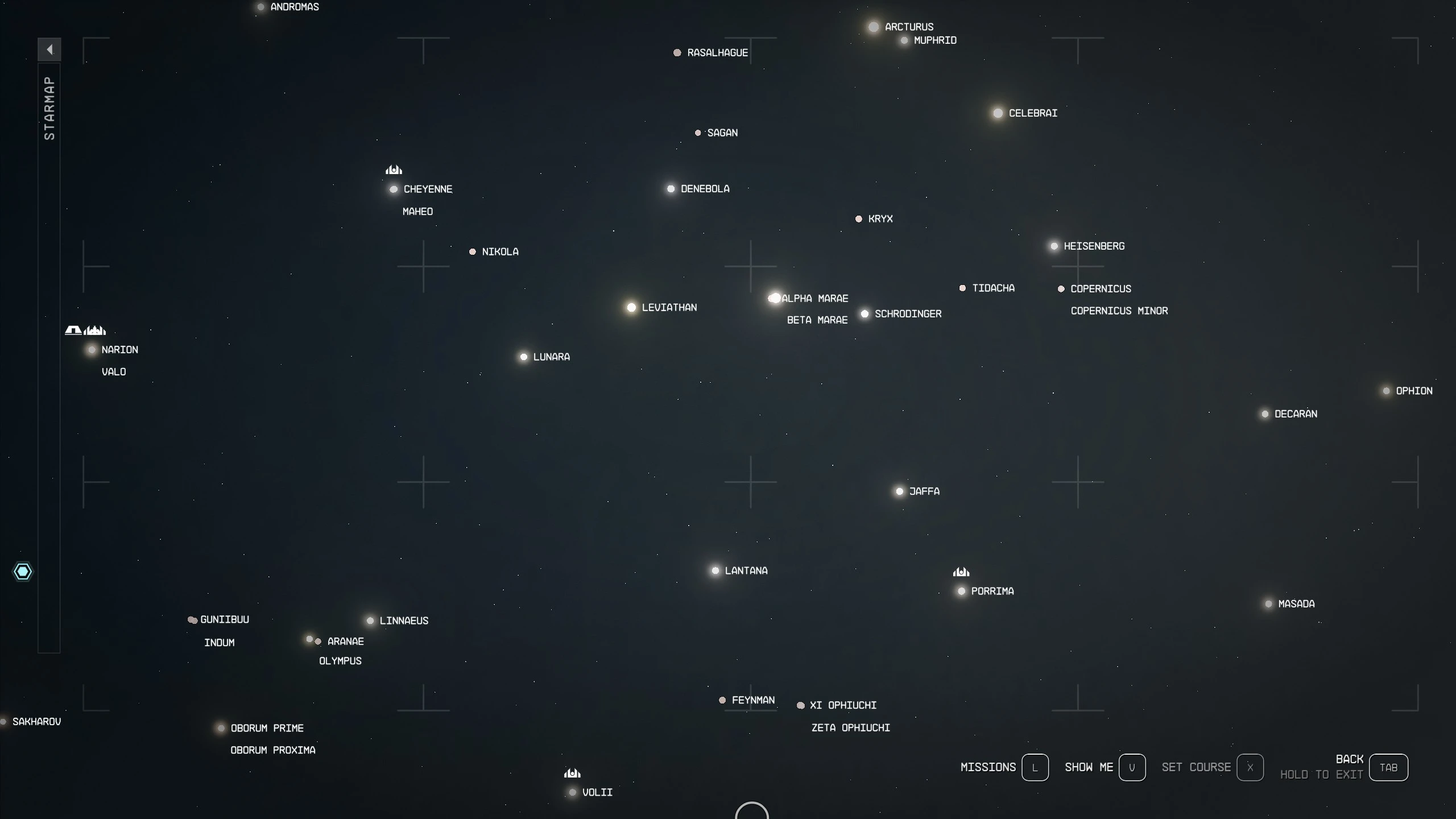
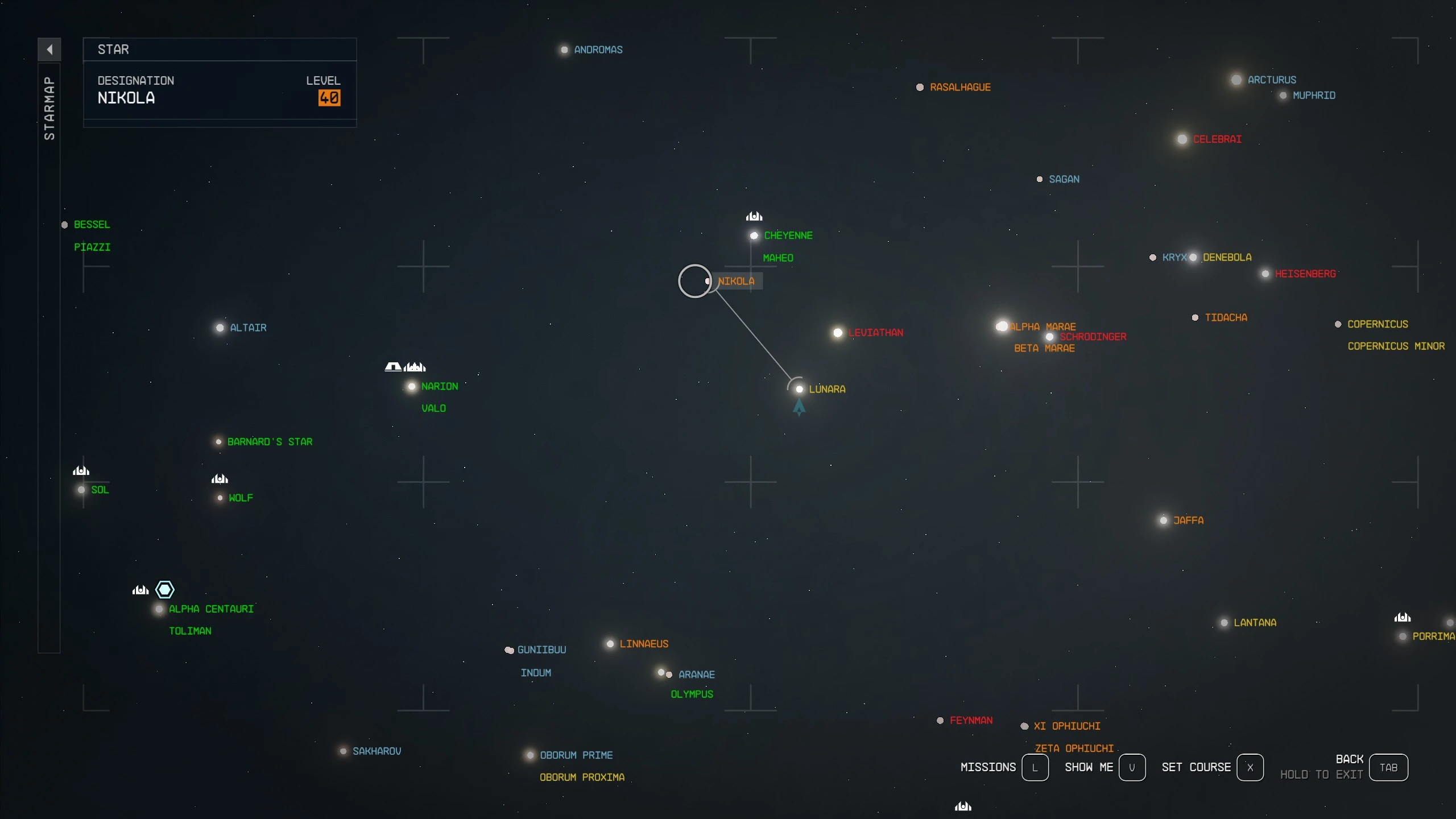
Always show star names when on the galaxy map
Version 2.3 is compatible with 1.16.236 + Free Lanes + Terran Armada
Always show star names on the galaxy map
PC Configuration
An INI config file (ShowStarNames.ini) can be used to control font size and default behavior for displaying system colors by level.
You can change these settings in the file while the game is running; reopen the map for the new settings to take effect.
Files
Show Star Names.zip - FOMOD installer with options for interface FPS
Installation
Uninstall
Compatibility
My Other Mods
Always show star names on the galaxy map
- **PC Shortcuts:**
- 1 - Toggle all names, excluding key systems
- 2 - Toggle System Level Colors
- **Xbox Shortcuts:**
- L3 - Toggle All Names (Except Key Systems)
- R3 - Toggle system level colors
- Names will be briefly hidden when selecting a stacked system (e.g., Narion + Valo)
- Default system name font size reduced from 18pt to 14pt for improved visibility (26pt to 22pt for Large Menu Fonts setting).
PC Configuration
An INI config file (ShowStarNames.ini) can be used to control font size and default behavior for displaying system colors by level.
You can change these settings in the file while the game is running; reopen the map for the new settings to take effect.
- "FontSize" controls the font size of names. Default is 14, minimum 10, maximum 36 (Vanilla is 18).
- "FontSizeLarge" controls the font size when Starfield's "Large Menu Fonts" is turned on in Accessibility settings. Default 22, minimum 10, maximum 36 (Vanilla is 26)
- "LevelColorDefaultOn" sets whether level colors are shown by default when opening the map. 0 = hidden by default, 1 = shown by default.
- You can still use the hotkey to toggle the colors in addition to the default behavior.
Files
Show Star Names.zip - FOMOD installer with options for interface FPS
Installation
- Enable Archive Invalidation (INI Settings)
- Your mod manager may do this step for you
- Easiest way: Use BethINI to comfortably set the value (called Load Loose Files in the GUI)
- Or: See details How to: Archive Invalidation Set the INI values using Windows tools.
- Install mod files
- Install via Vortex or MO2
- OR extract the .swf files from Options\<preferred option> to the Data\Interface folder
Uninstall
- Remove via Vortex or MO2
- If manually installed, remove these files from the Data\Interface folder:
galaxystarmapmarkers.swf
galaxystarmapmarkers_lrg.swf
Compatibility
- Will not work with (most) other mods that replace these two files
- For 60 FPS - Smooth UI and 120 FPS - Smooth UI Compatibility: load that mod first, then load this one. No patch required.
- If you’d like to integrate this into a larger UI or map mod, feel free to reach out or send me a message — it was pretty straightforward to make. If you do, credit would be appreciated! ♥
My Other Mods
This tool is provided by the third party [bufftool]

Download Mods For Free
Install LagoFast, start Starfield and play with the mods you love.
We use cookies to make interactions with our websites andservices easy and meaningful. For more information aboutthe cookies we use or to find out how you can disable cookies, click here.