
Where Did My Time Go
Autor:mmarcussaLast updated:08/09/2026 19:14:1394936KB

Mod Introduction
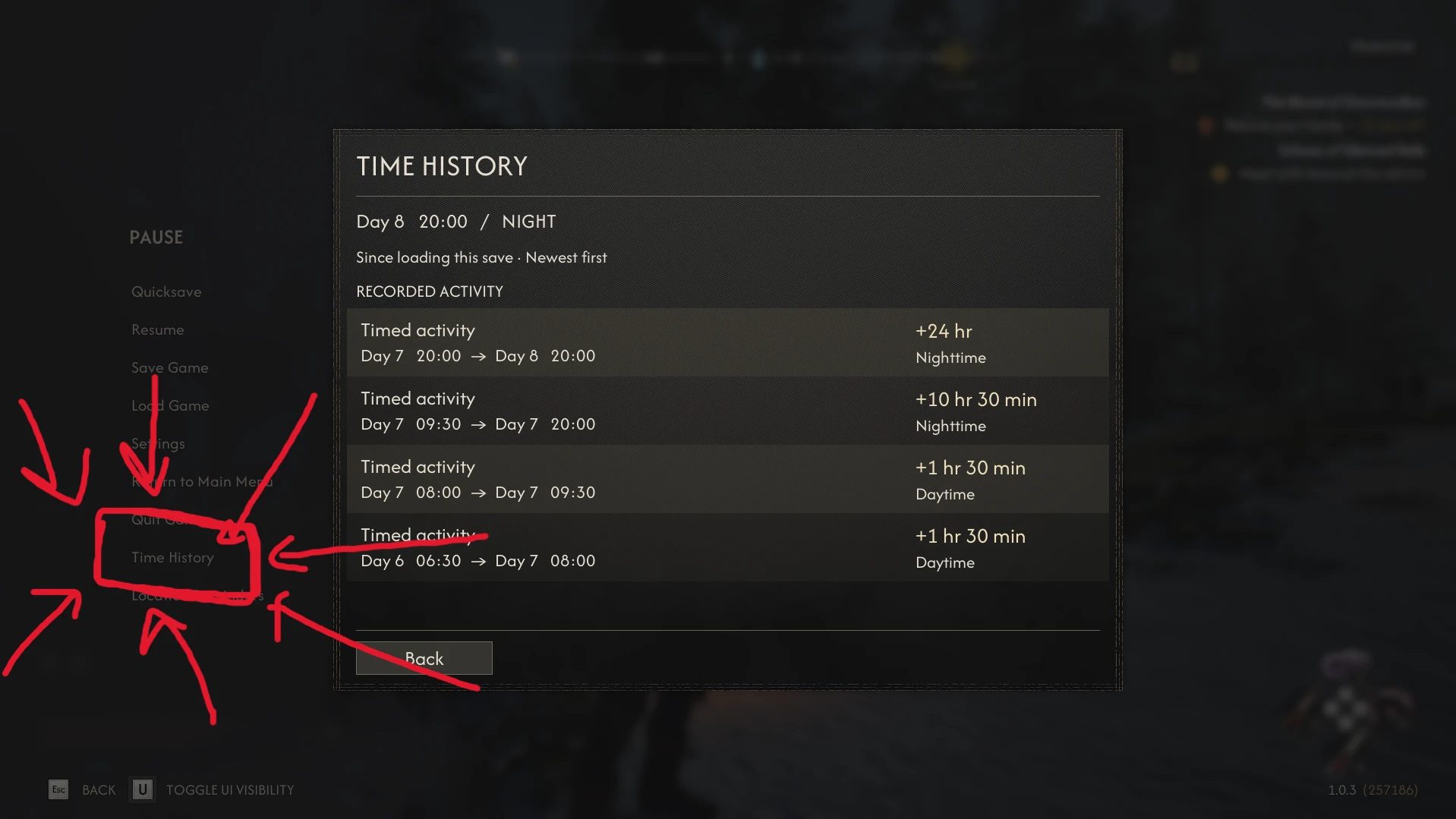
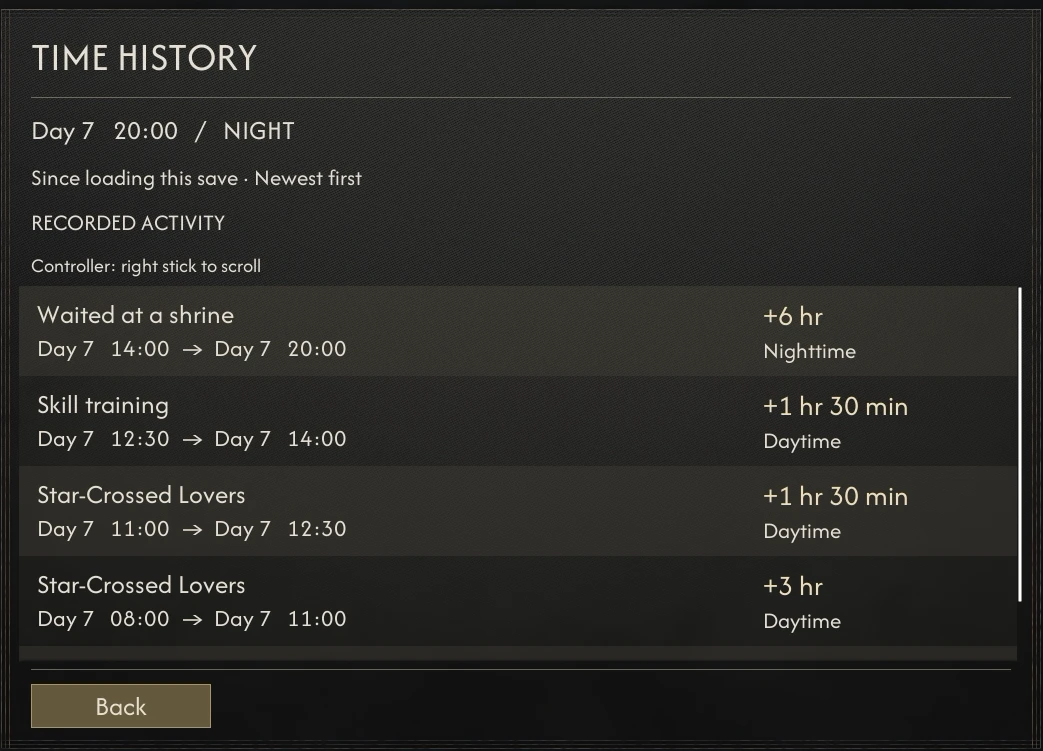
See how much time your activities used. Adds Time History to the pause menu with recognised activity names, quest names and history for your save.
If the mod doesn't show, please replace the old UE4SS with UE4SS for BoD instead
What it does
It only records time. It does not change the game clock or activity time costs. If an activity cannot be identified, it shows a general time-change label.
How to use
Open Pause > Time History.
With a controller, use the normal Confirm button to open, right stick to scroll and Back to close.
Requirements
UE4SS for Dawnwalker - RC6 Download from Vercadi or UE4SS for BoD from Framecore. (pick one)
Keep HookEngineTick = 1 in UE4SS-settings.ini.
Install
Close the game. Install with Vortex and deploy.
For manual install, put the WhereDidMyTimeGo folder in Dawnwalker/Binaries/Win64/ue4ss/Mods/ inside your game folder.
Enable only one version, then start the game.
Notes
History is stored in this mod's data folder. Keep it when updating. Loading an older save restores its recorded history without including later actions. Saves made before this feature was installed have no saved history to restore.
The day count changes at dawn. Day 6 at 06:30 to Day 7 at 08:00 can be 1 hour 30 minutes.
Back up data and settings.ini Restore them if replaced before updating.
To uninstall, disable in Vortex, deploy and restart. For manual installs, remove this mod's folder.
If the mod doesn't show, please replace the old UE4SS with UE4SS for BoD instead
What it does
- Displays the time before and after, and how much time has passed.
- Shows recognized activities like shrine waiting, opening a chest, and learning a skill.
- Shows matching quest names without quest step descriptions.
- Keeps up to 200 entries, newest first.
- Persists history across fast travel and restores it when loading the corresponding save.
- Supports mouse and controller navigation.
It only records time. It does not change the game clock or activity time costs. If an activity cannot be identified, it shows a general time-change label.
How to use
Open Pause > Time History.
With a controller, use the normal Confirm button to open, right stick to scroll and Back to close.
Requirements
UE4SS for Dawnwalker - RC6 Download from Vercadi or UE4SS for BoD from Framecore. (pick one)
Keep HookEngineTick = 1 in UE4SS-settings.ini.
Install
Close the game. Install with Vortex and deploy.
For manual install, put the WhereDidMyTimeGo folder in Dawnwalker/Binaries/Win64/ue4ss/Mods/ inside your game folder.
Enable only one version, then start the game.
Notes
History is stored in this mod's data folder. Keep it when updating. Loading an older save restores its recorded history without including later actions. Saves made before this feature was installed have no saved history to restore.
The day count changes at dawn. Day 6 at 06:30 to Day 7 at 08:00 can be 1 hour 30 minutes.
Back up data and settings.ini Restore them if replaced before updating.
To uninstall, disable in Vortex, deploy and restart. For manual installs, remove this mod's folder.
This tool is provided by the third party [bufftool]

Download Mods For Free
Install LagoFast, start The Blood of Dawnwalker and play with the mods you love.
We use cookies to make interactions with our websites andservices easy and meaningful. For more information aboutthe cookies we use or to find out how you can disable cookies, click here.