Update (2023.10.23): The 2.x version of BT has a core conflict with Hilder. There is a 3.x beta posted to NX. There is also a problem with the 3.x version. Menthus has gotten busy with work so I am not sure when we will see him again. He did however make the source code for the 3.x version public. https://github.com/MarvelProgramming/BetterTrader
Notice: The early release of version 3.0 can be found in the file section. (2023.09.17)
Menthus and Digitalroot can be found in the Valhalla Legends' Discord
Patreon
I spend countless hours every day working on, updating, and fixing mods for everyone to enjoy. While I will never ask for anyone to pay me to make a mod or add a feature, any support is greatly appreciated. >>Check it out<<, you might find benefits that catch your eye!
Better Trader
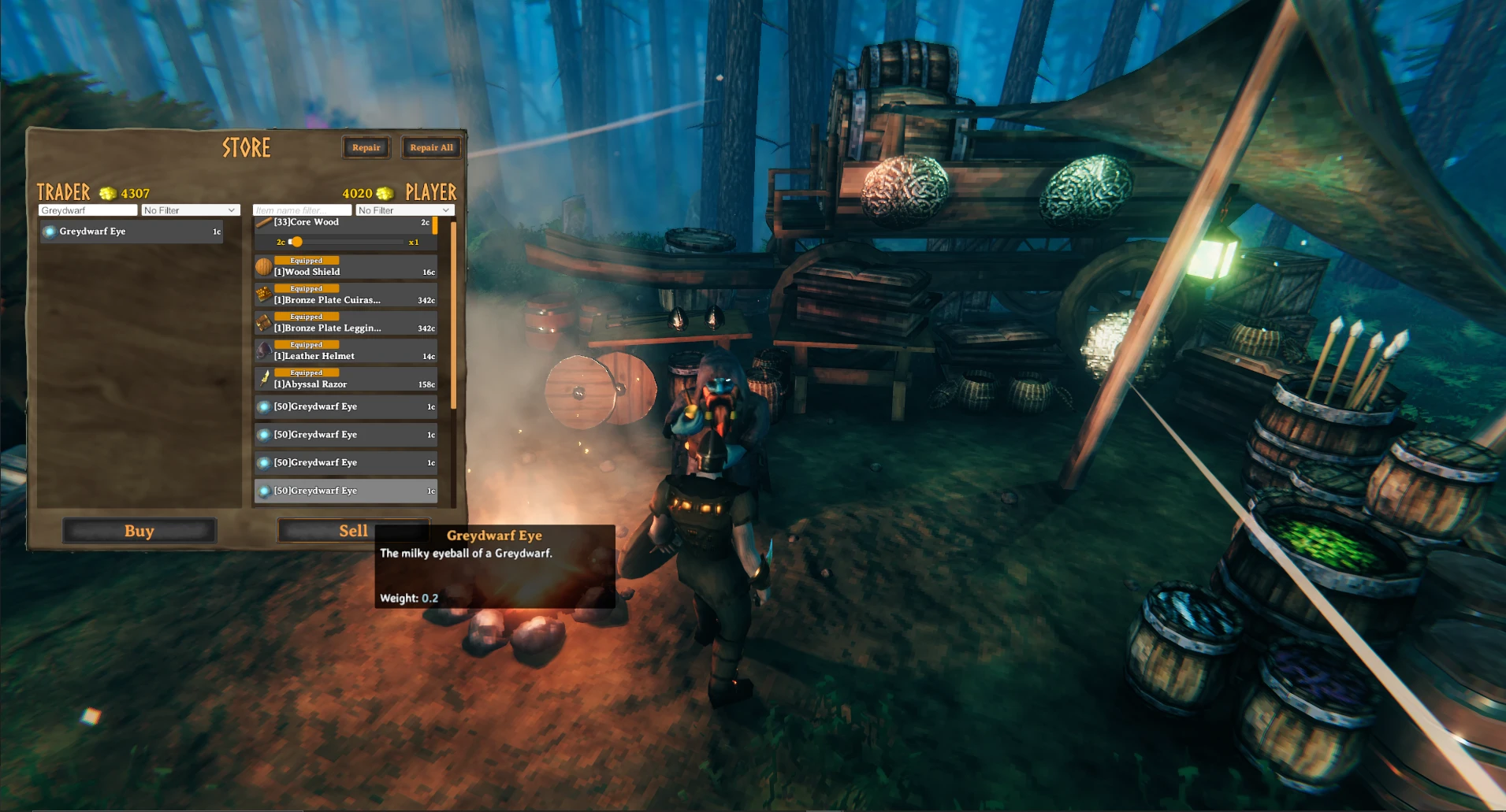
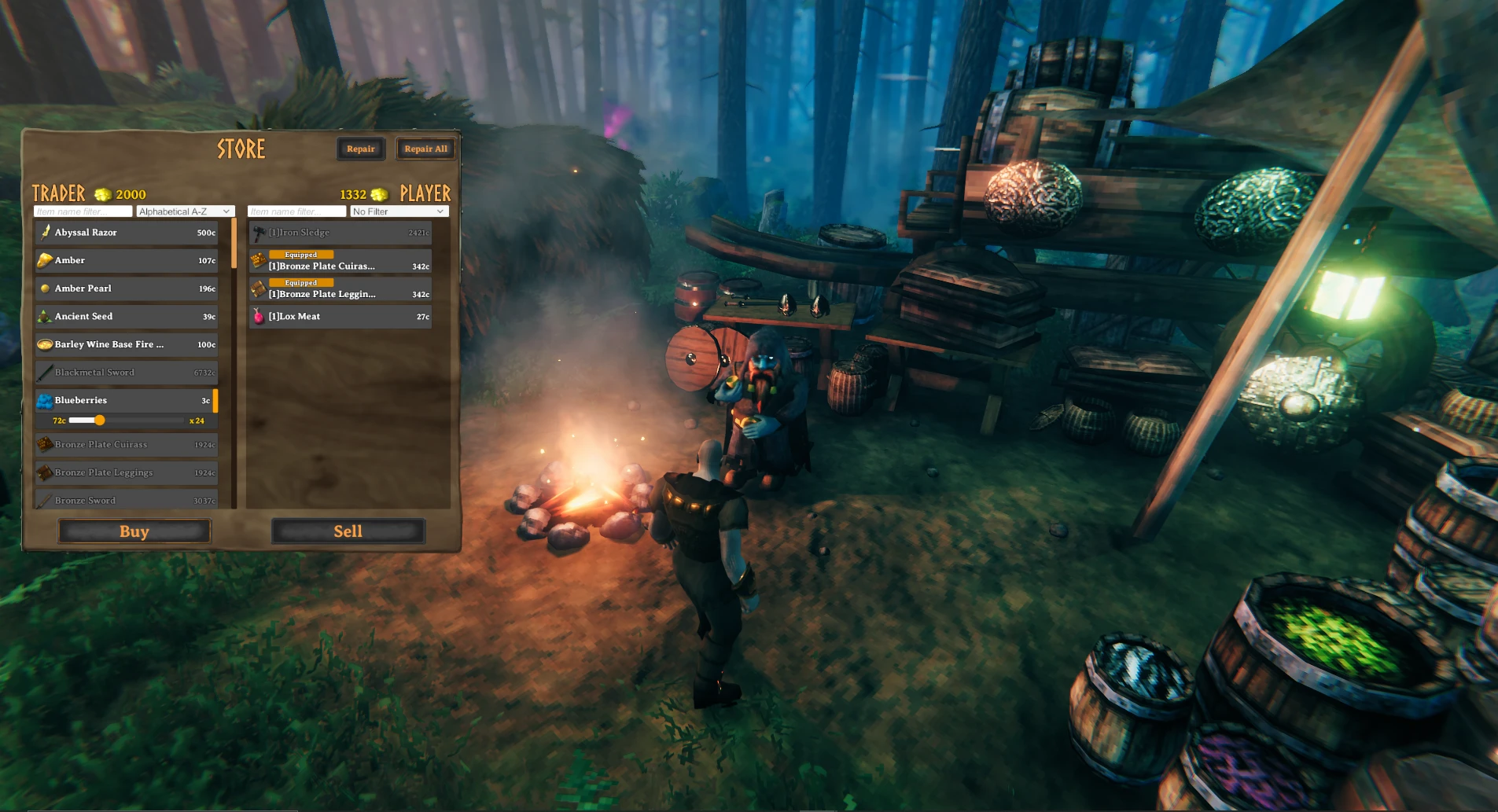
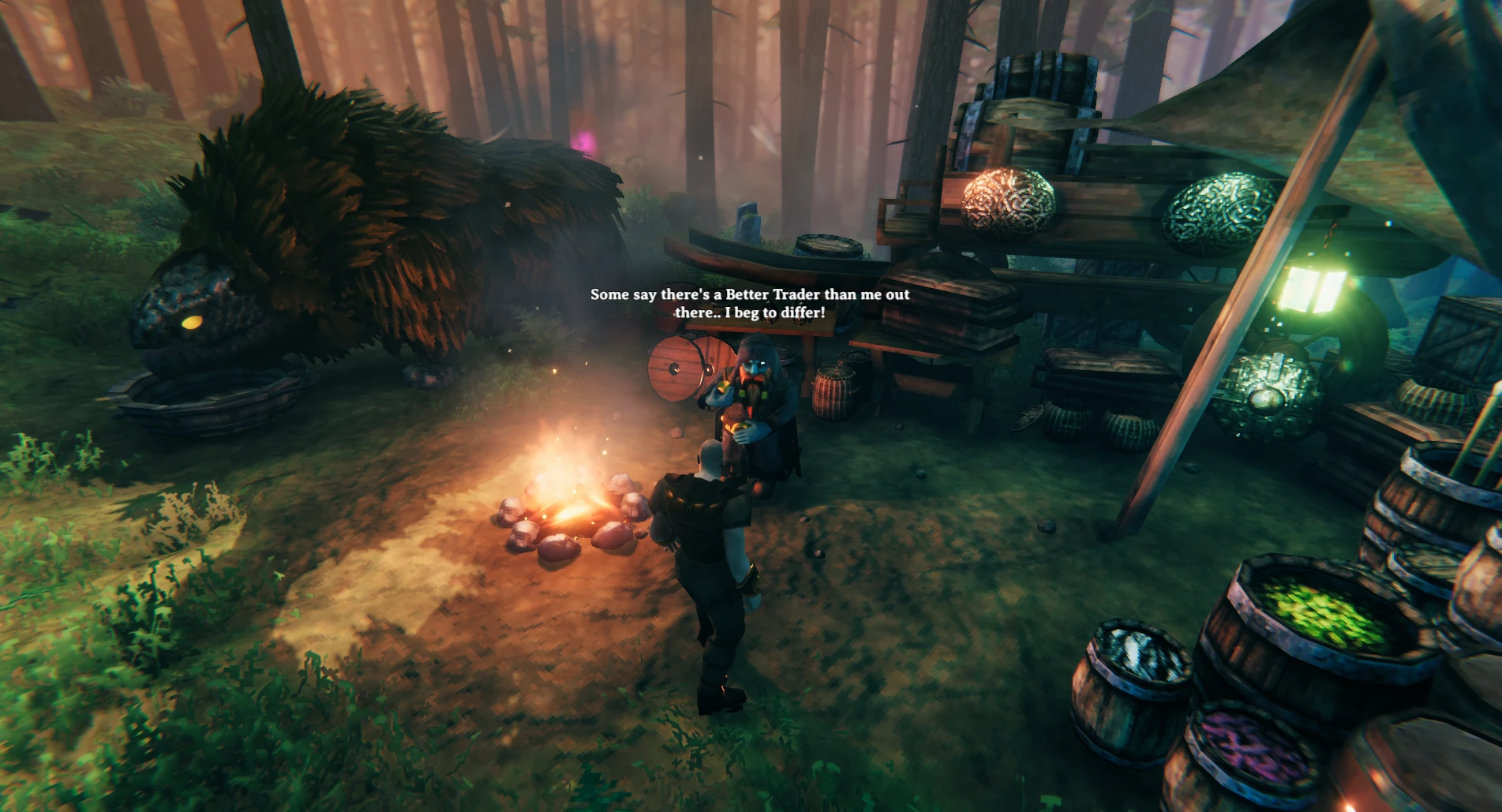
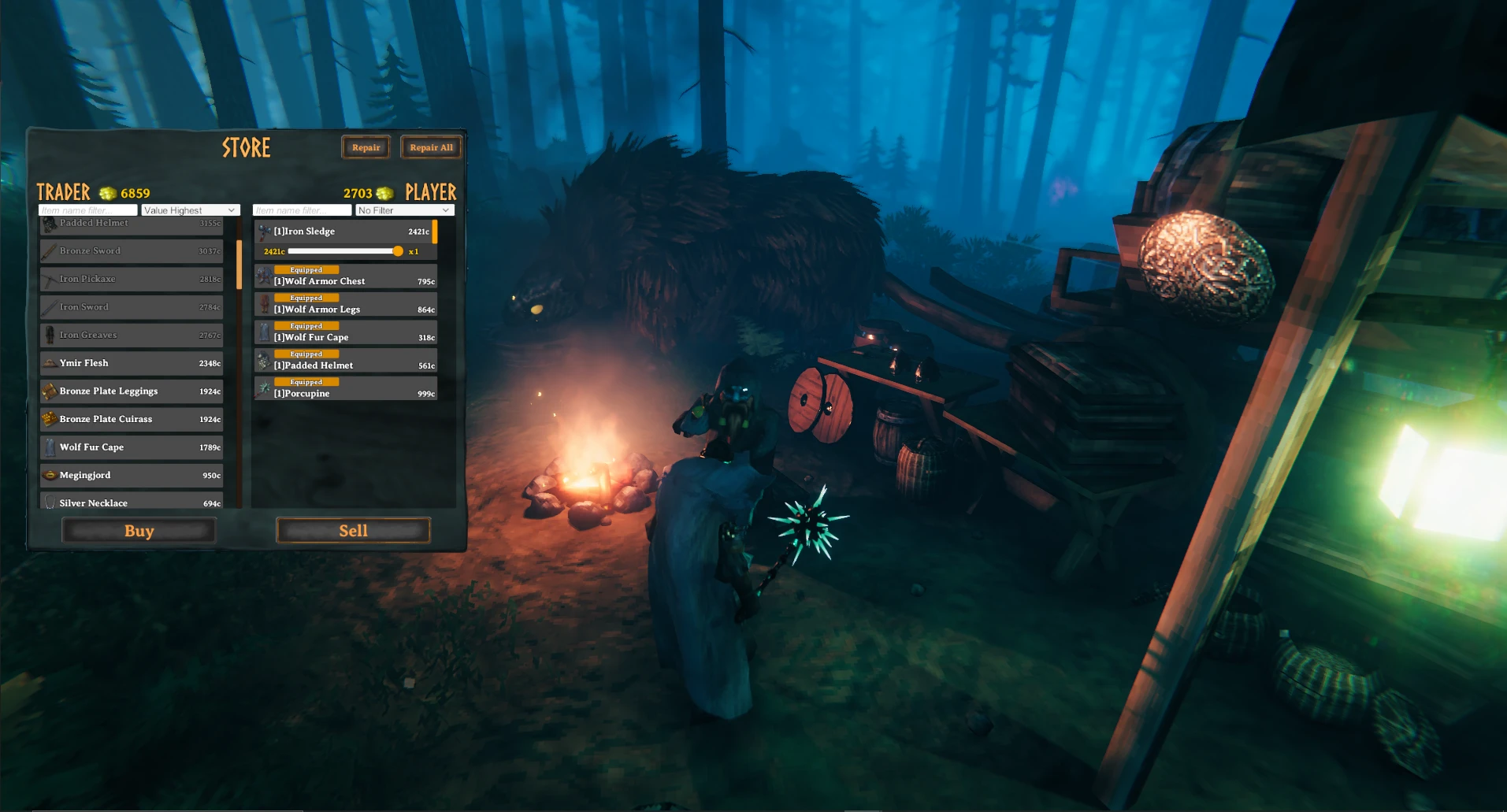
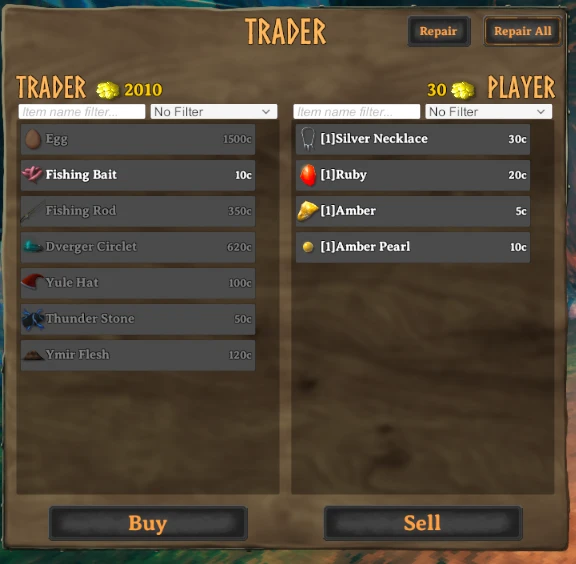
Vanilla Valheim's trader is very bare bones, only allows you to purchase a total of 6 items and has a clunky way of selling 'valuables'. Better Trader comes with a custom menu, adds over 310+ items, is highly configurable, and comes with built-in support for Epic Loot. Updates are ongoing and there is more to come, so stay tuned!
Configuration
Included with the mod are two config files.
Menthus.bepinex.plugins.BetterTrader.cfg.vanilla closely emulates the vanilla values for buying and selling items.
Menthus.bepinex.plugins.BetterTrader.cfg.full contains most of the game's items with the values Menthus set for them.
Select one of these files and copy it to Valheim\BepInEx\config,then Change the name to Menthus.bepinex.plugins.BetterTrader.cfg
You have 2 methods of editing the configuration:
Go to Valheim\BepInEx\config and open Menthus.bepinex.plugins.BetterTrader.cfg.
Using the >>BepInEx ConfigurationManagerplugin. Simply download it, put it in your Valheim\BepInEx\plugins folder, and press F1 when in-game.
You have a growing list of configuration options:
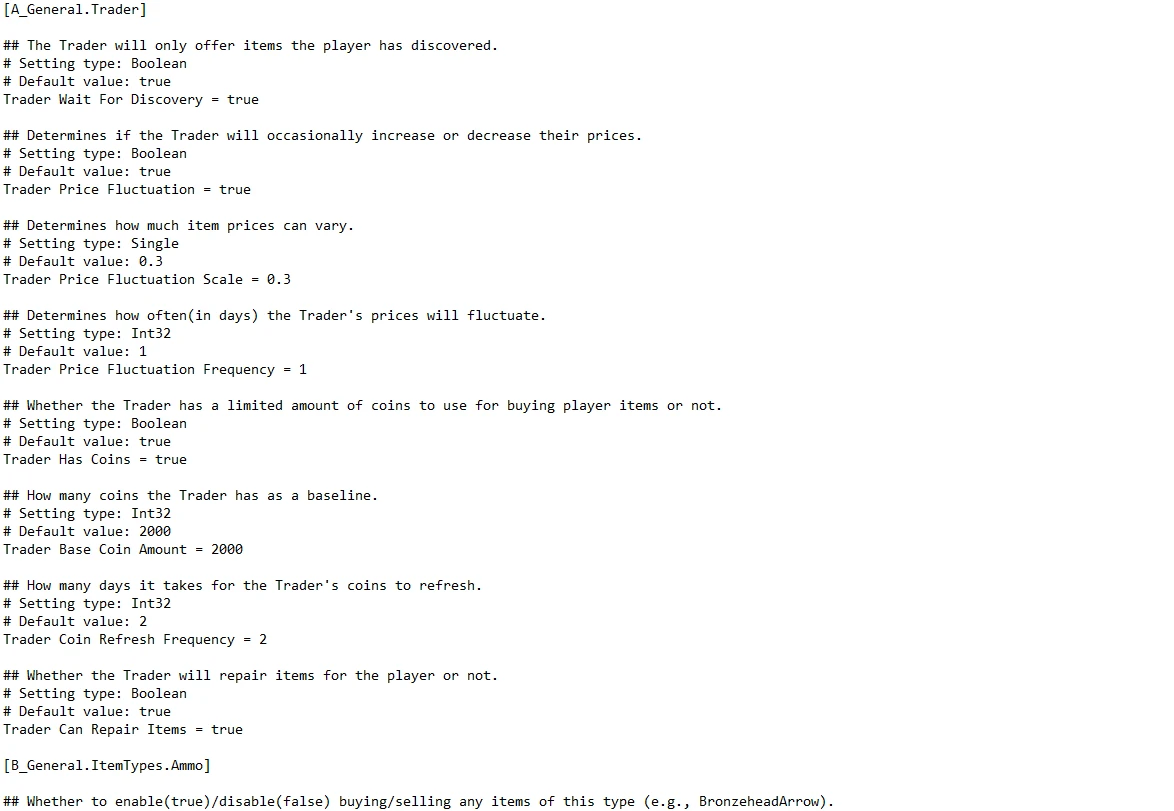
[A_General.Trader] Trader Wait For Discovery (defaults to true): True means the Trader will only sell items the player has discovered. Trader Price Fluctuation (defaults to true): True means the Trader's prices will fluctuate every so often (the amount to fluctuate by and time it takes before the Trader's prices fluctuate are configurable). Trader Price Fluctuation Scale (defaults to 0.3): Determines how much prices fluctuate from an item's base price. Trader Price Fluctuation Frequency (defaults to 1): How many days pass between each price fluctuation. Trader Has Coins (defaults to true): True means the Trader will use coins to purchase player items (the Trader's starting coin amount and time it takes before the Trader's coin reset are configurable). Trader Base Coin Amount (defaults to 2000): How many coins the Trader has by default. Trader Coin Refresh Frequency (defaults to 2): How many days need to pass before the Trader's coin amount refreshes to [Trader Base Coin Amount]. Trader Can Repair Items (defaults to true): True means the Trader can repair items for the Player.
[B_General.ItemTypes.NameOfItemType] enabled (defaults to true): True means every item of this type is enabled.
[C_Items.NameOfItemType.NameOfItem] Purchase Price (defaults to 100): The base amount the Trader sells this item for (before fluctuating/scaling if [Trader Price Fluctuation] is true). Sell Price (defaults to 100): The base amount this item can be sold for by the Player. Tradeable (defaults to true): True means the Trader will sell this item to the Player. Sellable (defaults to true): True means the Player can sell this item to the Trader. Ignore Trader Wait For Discovery (defaults to false): If true, this item will appear in the Trader's purchase list even when [Trader Wait For Discovery] is enabled and the Player hasn't discovered it yet.
This mod requires >>BepInExPackFollow the BepInExPack installation instructions, then place the BepInEx folder from the Better Trader download into the Valheim folder. Make sure to replace all files if you have a previous version of Better Trader installed!
If you're playing the game in a different language and you are missing items, you must run the game in English and load into a world first. Then you can swap it back to your language and continue from there.
Compatibility Info
If you're a mod developer and something you've made adds custom items, in order for them to be loaded by Better Trader you must include them in Valheim's ObjectDB and ensure your mod loads before Better Trader.
For adding items to Valheim's ObjectDB: Consider creating postfix patches for ObjectDB's Awake and CopyOtherDB methods, then accessing ObjectDB's m_items field and adding your items there. An example of this might be:
For changing your mod's load order: https://harmony.pardeike.net/articles/priorities.html for determining when your mod should load.
Server Info
Better Trader requires players to have the same (unmodified) version installed to join your server. Otherwise, they'll get an "Incompatible Version" error.
Better Trader syncs the server's config to connecting players without overwriting their config file. In other words, if a player connects to a server with a different config, their config file won't change at all, but the Trader's values will reflect the server's settings. This was done so players can have a "solo" config while also joining servers where the config is different.
This tool is provided by the third party [bufftool]
Download Mods For Free
Install LagoFast, start Valheim and play with the mods you love.
We use cookies to make interactions with our websites andservices easy and meaningful. For more information aboutthe cookies we use or to find out how you can disable cookies, click here.