
Enhanced Blood Textures v2_22b
Autor:dDefinderLast updated:02/03/2014 14:30:47989.1K13.9MB

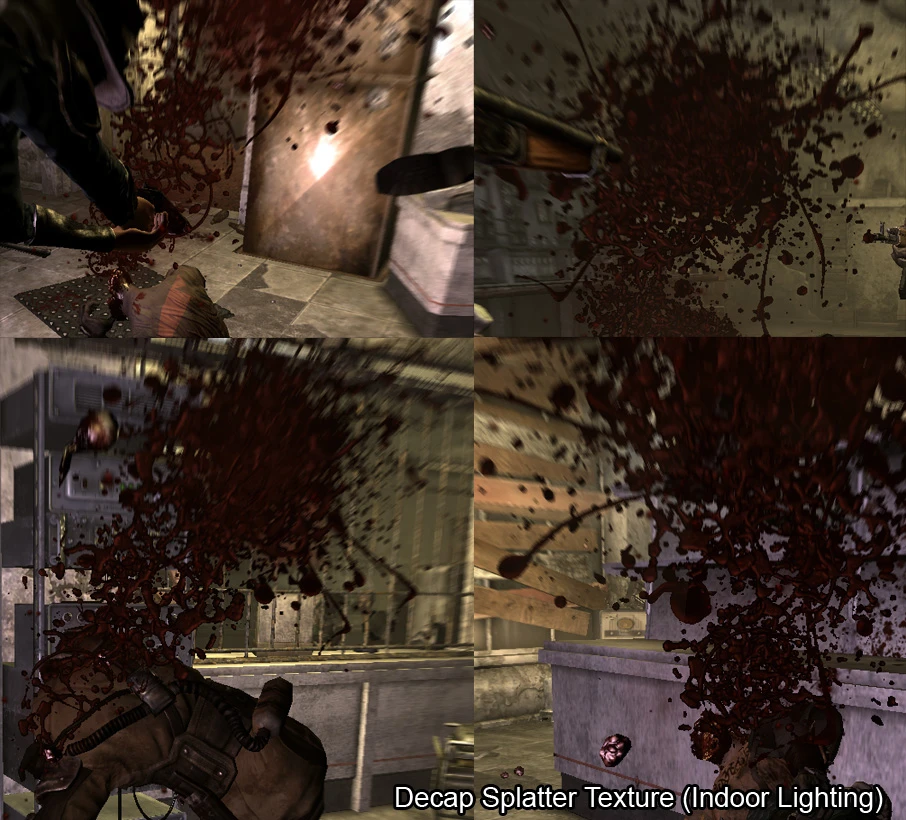
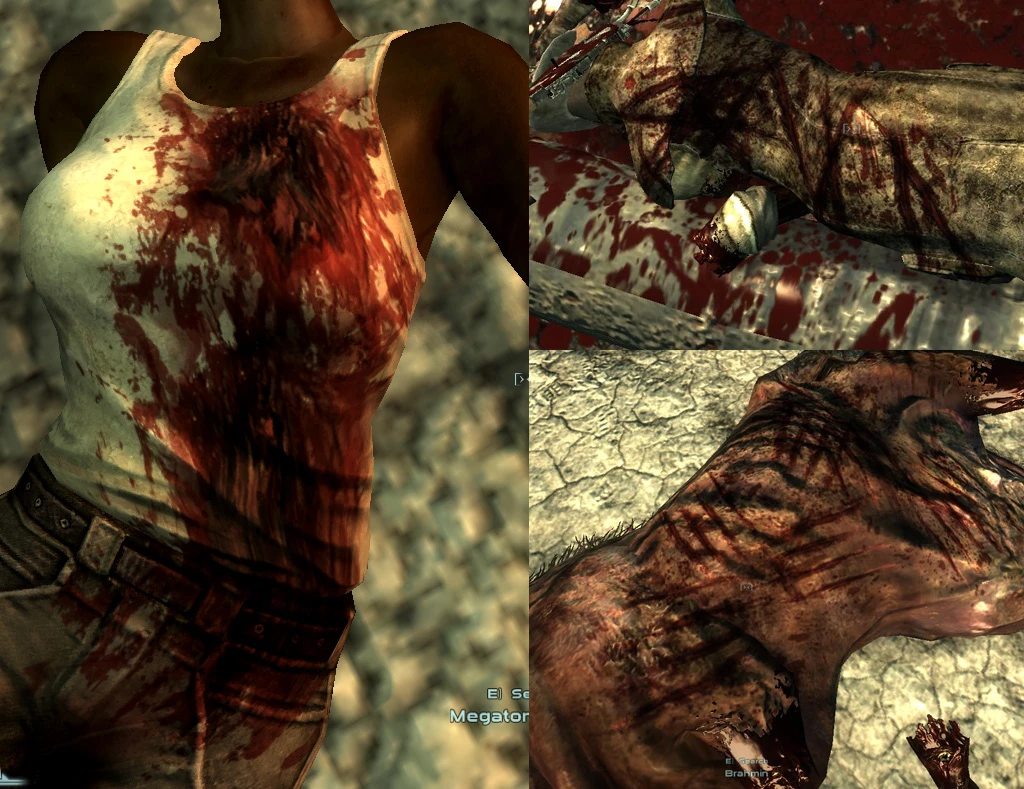
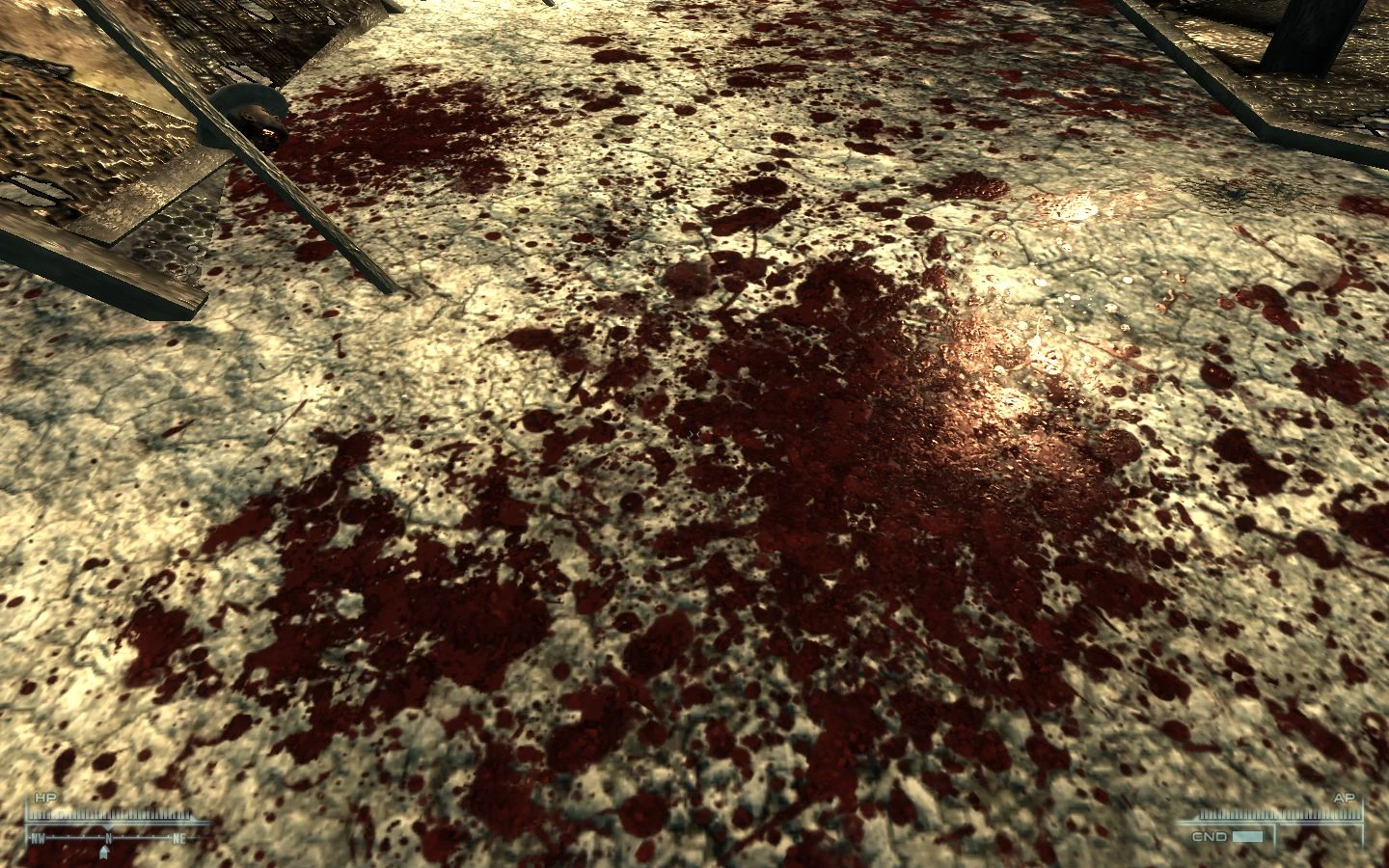
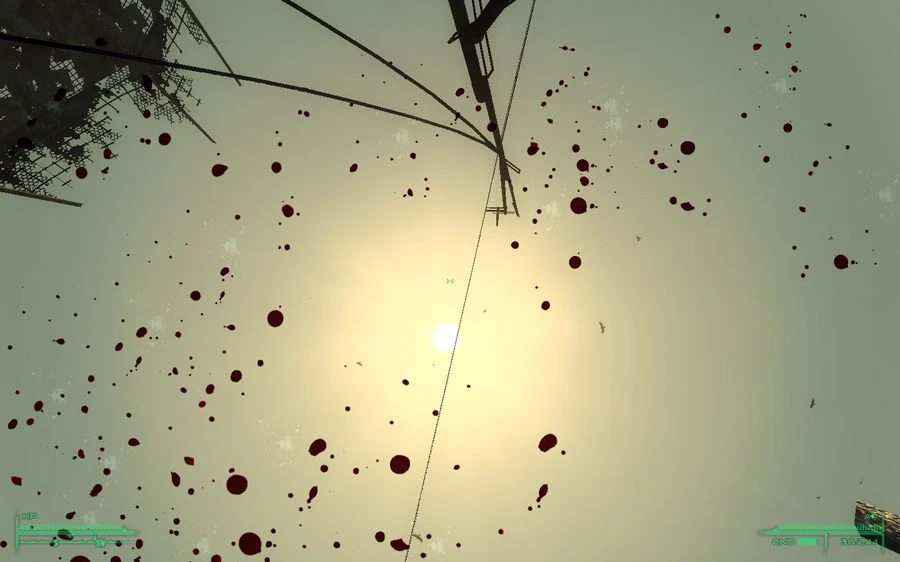
Mod Introduction
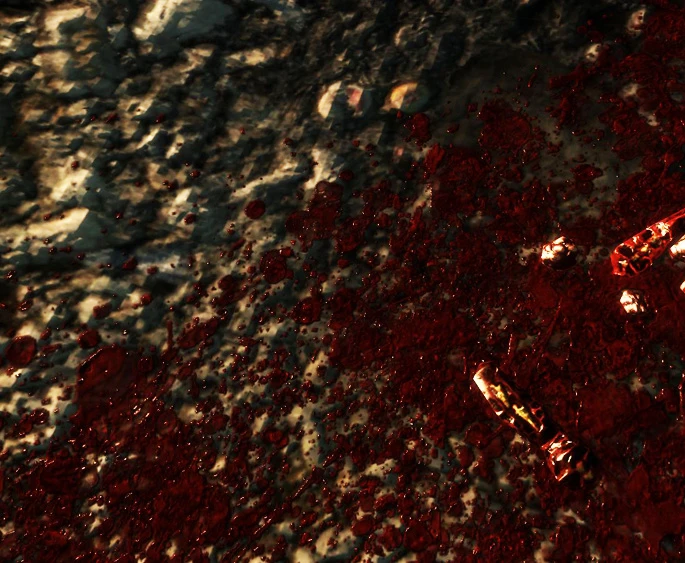
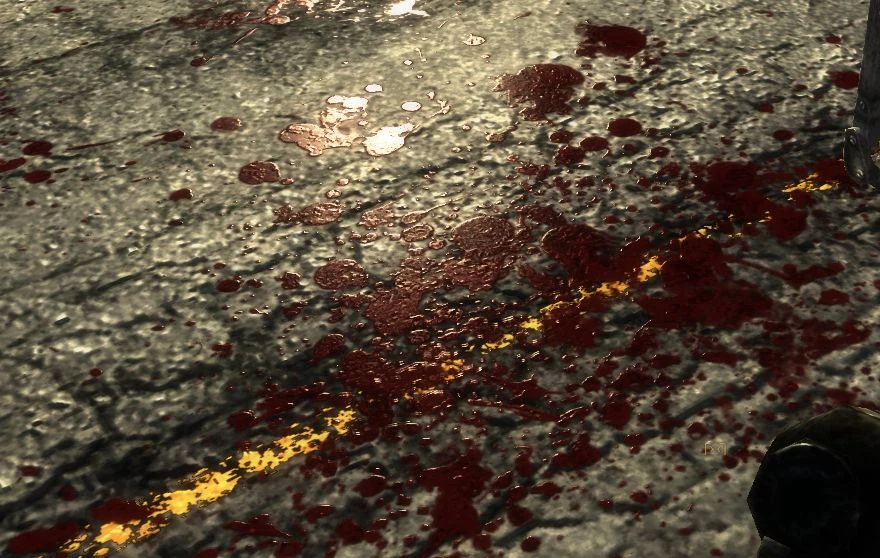
Increases the resolution size from 256 to 1024 and created new textures for screen, world, wounds and static blood decals. Esps are used to increase the size appearance of the blood, adjustments for screenblood, and add more giblets and new
Increases the resolution size from 256 to 1024 and created new textures for screen, world, wounds and static blood decals. Esps are used to increase the size appearance of the blood, adjustments for screenblood, add more giblets and new wounds related to the weapon type. ini will change max amount and lifetime for blood that is in the world space.
Blood/gib color may appear differently than intended if you are using any lighting or weather mods.
:NOTICE:
This mod is included in FOOK2, although it's an older version and is missing unique wounds, proper blood size, and newer textures. Esps can be loaded after FOOK, but the screen blood and environmental splatters will still be controlled by FOOK2. Problems such as very large screen splatters and taking a very long time to be removed can occur. There is a way to make it appear as it should. (This may or may not work — for example, blood may appear small instead.)
-First press and hold "o" until a menu pops up.
-Go to FOSE Dependent options and features
-then Blood Settings
-select Normal
If you're having issues with Decap Splatters not working, try disabling anti-aliasing. This is a game engine problem that applies a noise filter to the outer edges of these textures. This affects all particle effects, including muzzle flashes and explosions. I believe this problem was fixed in an earlier game patch, I think 1.2, but then broke again around patch 1.5.
If you notice wounds not appearing, it could be that you are using a body mod. It depends on whether the body mod is made to properly support wounds. Even without this mod, wounds will not appear.
A random flashing white dot appears on blood. This is an ATI video card issue; default blood will have the same effect.
Please send the text you want translated.
Current Version Changes
It looks like no text was included after the separator. Please send the text you'd like me to translate.
v2.22
-Decreased brightness for decap cut parts and splatter
-Added Screen Blood Vanilla Default plugin
-Reduced minimal wounds further for dD-Smaller Wounds
-Further reduced Decap and ragdoll force plugins
-Removed changes to plasma and laser dirt impacts
v2.2
-Split the screen size changes into their own set. The main plugin will use the larger screen blood settings with a 5-second removal time.
Removed dD-Less Blood Time, Larger Blood.esp, and dD-Larger Blood.esp
-Added a new screen blood texture to be used with dD-Full Screen Blood.esp. Blood will splatter across the screen but will be removed within 0.8 seconds. Acts more like a hit indicator.
-Added Smaller Splatters default.esp: Splatters will match with the default size.
-Adjusted splatter alpha and normal map
-Reduced missing values on human ragdolls for "Reduced Dismember Force.esp" and "Reduced Ragdoll Force.esp"
-Fixed corruption errors in Smaller Wounds.esp, now depends on Main plugin
-Reduced main max size for spatters by 10 and screen fade time to 5.
-Reverted gore color but slightly brighter and applied higher res. normal map.
Please provide the text you'd like me to translate.
HOW TO INSTALL
Please provide the text you want translated.
I'm ready to translate, but no text was included after the separator. Please send the source text you'd like translated into English.
--1.ArchiveInvalidation--
I'm ready to translate, but no text was provided after the separator line. Please send the source text you'd like me to translate into English.
I recommend that you install:
http://www.fallout3nexus.com/downloads/file.php?id=944
It will eliminate the need for the ArchiveInvalidation file or the one included with FOMM.
Please send the text you want translated.
-----2.INI---------
I'm ready to translate, but I don't see any text included after the separator. Please paste the source text you'd like translated into English.
-First you need bInvalidateOlderFiles to be 1 which should be active by now if you've been using mods.
Open FALLOUT Config file found in:
...My Documents\My Games\Fallout3
-After it opens, find bInvalidateOlderFiles and change the 0 to 1
ex.
bInvalidateOlderFiles=0
to
bInvalidateOlderFiles=1
This will increase the amount and lifetime of blood splatters
Next, find the following lines:
fDecalLifetime=10.0000
iMaxDecalsPerFrame=50
and change the numbers to (or any number you want, the higher it is, the more and longer the blood will last):
fDecalLifetime=9999.0000
iMaxDecalsPerFrame=999
-Now open FalloutPrefs.ini and change:
iMaxDecalsPerFrame=10
to
iMaxDecalsPerFrame=999
Please provide the text you want translated.
----3.Textures------
请提供需要翻译的文本内容。
Extract the "Data" folder into your Fallout 3 directory.
Yes to replace
⚠️ Your request is missing the source text. Please send the text you'd like me to translate into English.
For Alternate Textures
It looks like the text to translate is missing — the section after "Text to translate:" contains only a divider line and no actual content. Please send the source text you'd like me to translate into English, and I'll return only the translation.
For alternate screen blood, go to:
Enhanced Blood Files Alternate Textures
Open the rar file that you want to use.
Extract the data folder inside the rar into your Fallout 3 directory.
Please send the source text you want translated into English.
-----4.ESP--------
It looks like you didn't include the text to translate—there's nothing after the dashes. Please send the source text, and I'll translate it into English following your requirements.
The files are inside:
"Enhanced Blood Files" folder
Move the following file to the data folder and activate it:
dD - Enhanced Blood Main NV.esp:
Main will change blood splatter size, screen blood settings, add unique wounds and size based on weapon type, and add missing wound texture data to weapons and creatures that didn't have one.
It looks like the text to translate wasn't included—only the separator line came through. Please paste the actual source text, and I'll translate it into English following your requirements.
----To revert back to vanilla screen blood----
Please provide the text you'd like me to translate.
-Download the optional plugin files. Add "dD-Screen Blood Vanilla.esp"
to the fallout folder where all the other plugins are and make sure it's
Loaded after Enhanced Blood Main plugin
-Go to:
Textures/Gore/
-Delete
screenbloodcolor01opt.dds
screenbloodalpha01opt.dds
==================================
Following files are all optional!
==================================
===Screen Blood===
This will change the screen blood. The main file removal time is 5 seconds. Those need to be loaded after the Main file.
-dD-Less Screen Blood Time.esp:
Reduces the time it takes for the blood to be removed from screen.
-dD-Full Screen Blood.esp:
Recommend using "Screen Blood for Full Screen" textures with this. Blood will cover the entire screen but will be removed within 0.8 seconds. Acts somewhat like a hit indicator.
-dD-No Screen Blood.esp:
Disables blood on screen.
-dD-Screen Blood Vanilla Default:
Reverts screen settings back to vanilla default. You need to either use Alt screen texture 2 or delete the new screen blood textures.
==MORE GORE===
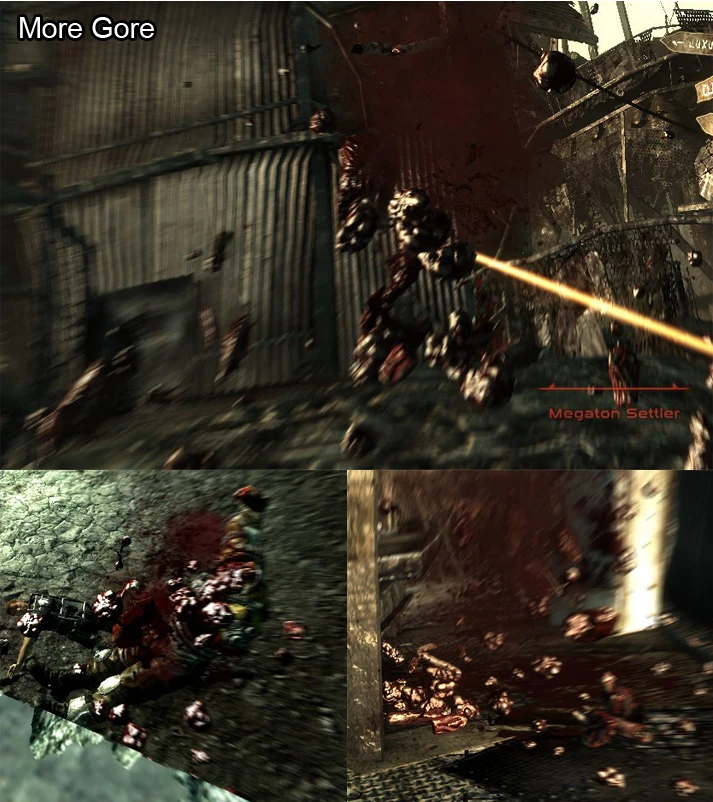
Increases the size and amount of unsearchable giblets when body parts explode, including robots. Activate the files according to the DLCs you have. Those files are optional; you don't need to use them.
Those plugins are not compatible with other mods that change the hit percentage or damage on certain limbs on characters! If there is a conflict the damage and hit percentage will not match correctly.
-dD-More Gore.esp:
Adds more unsearchable giblets when body parts explode.
-dD-More Gore-PointLookout.esp:
Affects Point Lookout characters
-dD-More Gore-BrokenSteel.esp:
Affects Broken Steel characters.
-dD-More Gore-The Pitt.esp:
Affects Pitt characters.
-dD-More Gore-Zeta.esp:
Affects Zeta characters.
==MORE GORE FWE COMPATIBLE==
Use those instead if you are using FWE, but use the normal More Gore for Broken Steel. Those need to be loaded AFTER FO3 Wanderers Edition - Main File.esp. Please check the download page for an updated version if FWE has just been updated above 6.3
-FO3 Wanderers Edition - More Gore.esp
-FO3 Wanderers Edition - More Gore Zeta.esp
-FO3 Wanderers Edition - More Gore The Pitt.esp
-FO3 Wanderers Edition - More Gore PointLookout.esp
==REDUCED FORCE==
-dD-Reduced Dismember Force.esp:
Reduces the amount of force used when body parts explode. Recommended to be used alongside More Gore.esp.
-dD-Reduced Ragdoll Force.esp:
Reduces ragdoll force on death.
==SMALLER WOUNDS AND SPATTERS==
Load those after the main file.
-dD-Smaller Wounds:
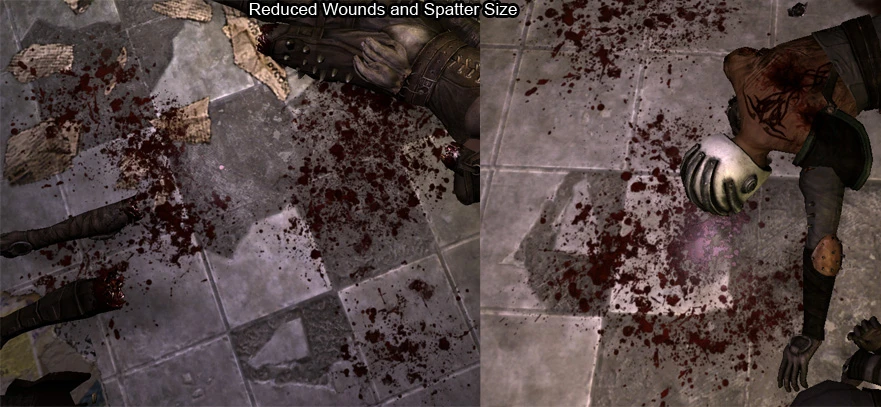
Reduces the size of wounds to a more realistic level. Claws and bladed weapon wounds are not affected
-dD-Smaller Spatters Realistic:
Reduces the size of splatters to a more realistic level. Affects all hits.
-dD-Smaller Spatters Default:
Reduces the size of splatters to about the same as the default size
I'm ready to translate, but there's no text included after the separator. Please provide the source text you'd like translated into English.
My Improved Sound FX mod will also change dismember and gore sounds
http://www.fallout3nexus.com/downloads/file.php?id=627
Blood/gib color may appear differently than intended if you are using any lighting or weather mods.
:NOTICE:
This mod is included in FOOK2, although it's an older version and is missing unique wounds, proper blood size, and newer textures. Esps can be loaded after FOOK, but the screen blood and environmental splatters will still be controlled by FOOK2. Problems such as very large screen splatters and taking a very long time to be removed can occur. There is a way to make it appear as it should. (This may or may not work — for example, blood may appear small instead.)
-First press and hold "o" until a menu pops up.
-Go to FOSE Dependent options and features
-then Blood Settings
-select Normal
If you're having issues with Decap Splatters not working, try disabling anti-aliasing. This is a game engine problem that applies a noise filter to the outer edges of these textures. This affects all particle effects, including muzzle flashes and explosions. I believe this problem was fixed in an earlier game patch, I think 1.2, but then broke again around patch 1.5.
If you notice wounds not appearing, it could be that you are using a body mod. It depends on whether the body mod is made to properly support wounds. Even without this mod, wounds will not appear.
A random flashing white dot appears on blood. This is an ATI video card issue; default blood will have the same effect.
Please send the text you want translated.
Current Version Changes
It looks like no text was included after the separator. Please send the text you'd like me to translate.
v2.22
-Decreased brightness for decap cut parts and splatter
-Added Screen Blood Vanilla Default plugin
-Reduced minimal wounds further for dD-Smaller Wounds
-Further reduced Decap and ragdoll force plugins
-Removed changes to plasma and laser dirt impacts
v2.2
-Split the screen size changes into their own set. The main plugin will use the larger screen blood settings with a 5-second removal time.
Removed dD-Less Blood Time, Larger Blood.esp, and dD-Larger Blood.esp
-Added a new screen blood texture to be used with dD-Full Screen Blood.esp. Blood will splatter across the screen but will be removed within 0.8 seconds. Acts more like a hit indicator.
-Added Smaller Splatters default.esp: Splatters will match with the default size.
-Adjusted splatter alpha and normal map
-Reduced missing values on human ragdolls for "Reduced Dismember Force.esp" and "Reduced Ragdoll Force.esp"
-Fixed corruption errors in Smaller Wounds.esp, now depends on Main plugin
-Reduced main max size for spatters by 10 and screen fade time to 5.
-Reverted gore color but slightly brighter and applied higher res. normal map.
Please provide the text you'd like me to translate.
HOW TO INSTALL
Please provide the text you want translated.
I'm ready to translate, but no text was included after the separator. Please send the source text you'd like translated into English.
--1.ArchiveInvalidation--
I'm ready to translate, but no text was provided after the separator line. Please send the source text you'd like me to translate into English.
I recommend that you install:
http://www.fallout3nexus.com/downloads/file.php?id=944
It will eliminate the need for the ArchiveInvalidation file or the one included with FOMM.
Please send the text you want translated.
-----2.INI---------
I'm ready to translate, but I don't see any text included after the separator. Please paste the source text you'd like translated into English.
-First you need bInvalidateOlderFiles to be 1 which should be active by now if you've been using mods.
Open FALLOUT Config file found in:
...My Documents\My Games\Fallout3
-After it opens, find bInvalidateOlderFiles and change the 0 to 1
ex.
bInvalidateOlderFiles=0
to
bInvalidateOlderFiles=1
This will increase the amount and lifetime of blood splatters
Next, find the following lines:
fDecalLifetime=10.0000
iMaxDecalsPerFrame=50
and change the numbers to (or any number you want, the higher it is, the more and longer the blood will last):
fDecalLifetime=9999.0000
iMaxDecalsPerFrame=999
-Now open FalloutPrefs.ini and change:
iMaxDecalsPerFrame=10
to
iMaxDecalsPerFrame=999
Please provide the text you want translated.
----3.Textures------
请提供需要翻译的文本内容。
Extract the "Data" folder into your Fallout 3 directory.
Yes to replace
⚠️ Your request is missing the source text. Please send the text you'd like me to translate into English.
For Alternate Textures
It looks like the text to translate is missing — the section after "Text to translate:" contains only a divider line and no actual content. Please send the source text you'd like me to translate into English, and I'll return only the translation.
For alternate screen blood, go to:
Enhanced Blood Files Alternate Textures
Open the rar file that you want to use.
Extract the data folder inside the rar into your Fallout 3 directory.
Please send the source text you want translated into English.
-----4.ESP--------
It looks like you didn't include the text to translate—there's nothing after the dashes. Please send the source text, and I'll translate it into English following your requirements.
The files are inside:
"Enhanced Blood Files" folder
Move the following file to the data folder and activate it:
dD - Enhanced Blood Main NV.esp:
Main will change blood splatter size, screen blood settings, add unique wounds and size based on weapon type, and add missing wound texture data to weapons and creatures that didn't have one.
It looks like the text to translate wasn't included—only the separator line came through. Please paste the actual source text, and I'll translate it into English following your requirements.
----To revert back to vanilla screen blood----
Please provide the text you'd like me to translate.
-Download the optional plugin files. Add "dD-Screen Blood Vanilla.esp"
to the fallout folder where all the other plugins are and make sure it's
Loaded after Enhanced Blood Main plugin
-Go to:
Textures/Gore/
-Delete
screenbloodcolor01opt.dds
screenbloodalpha01opt.dds
==================================
Following files are all optional!
==================================
===Screen Blood===
This will change the screen blood. The main file removal time is 5 seconds. Those need to be loaded after the Main file.
-dD-Less Screen Blood Time.esp:
Reduces the time it takes for the blood to be removed from screen.
-dD-Full Screen Blood.esp:
Recommend using "Screen Blood for Full Screen" textures with this. Blood will cover the entire screen but will be removed within 0.8 seconds. Acts somewhat like a hit indicator.
-dD-No Screen Blood.esp:
Disables blood on screen.
-dD-Screen Blood Vanilla Default:
Reverts screen settings back to vanilla default. You need to either use Alt screen texture 2 or delete the new screen blood textures.
==MORE GORE===
Increases the size and amount of unsearchable giblets when body parts explode, including robots. Activate the files according to the DLCs you have. Those files are optional; you don't need to use them.
Those plugins are not compatible with other mods that change the hit percentage or damage on certain limbs on characters! If there is a conflict the damage and hit percentage will not match correctly.
-dD-More Gore.esp:
Adds more unsearchable giblets when body parts explode.
-dD-More Gore-PointLookout.esp:
Affects Point Lookout characters
-dD-More Gore-BrokenSteel.esp:
Affects Broken Steel characters.
-dD-More Gore-The Pitt.esp:
Affects Pitt characters.
-dD-More Gore-Zeta.esp:
Affects Zeta characters.
==MORE GORE FWE COMPATIBLE==
Use those instead if you are using FWE, but use the normal More Gore for Broken Steel. Those need to be loaded AFTER FO3 Wanderers Edition - Main File.esp. Please check the download page for an updated version if FWE has just been updated above 6.3
-FO3 Wanderers Edition - More Gore.esp
-FO3 Wanderers Edition - More Gore Zeta.esp
-FO3 Wanderers Edition - More Gore The Pitt.esp
-FO3 Wanderers Edition - More Gore PointLookout.esp
==REDUCED FORCE==
-dD-Reduced Dismember Force.esp:
Reduces the amount of force used when body parts explode. Recommended to be used alongside More Gore.esp.
-dD-Reduced Ragdoll Force.esp:
Reduces ragdoll force on death.
==SMALLER WOUNDS AND SPATTERS==
Load those after the main file.
-dD-Smaller Wounds:
Reduces the size of wounds to a more realistic level. Claws and bladed weapon wounds are not affected
-dD-Smaller Spatters Realistic:
Reduces the size of splatters to a more realistic level. Affects all hits.
-dD-Smaller Spatters Default:
Reduces the size of splatters to about the same as the default size
I'm ready to translate, but there's no text included after the separator. Please provide the source text you'd like translated into English.
My Improved Sound FX mod will also change dismember and gore sounds
http://www.fallout3nexus.com/downloads/file.php?id=627
This tool is provided by the third party [bufftool]

Download Mods For Free
Install LagoFast, start Fallout 3 - Game of the Year Edition and play with the mods you love.
We use cookies to make interactions with our websites andservices easy and meaningful. For more information aboutthe cookies we use or to find out how you can disable cookies, click here.