Fake Fullscreen Mode Windowed - Alt Tab Fix
Autor:BUDA20Last updated:14/06/2011 07:18:56369.6K344KB

Mod Introduction
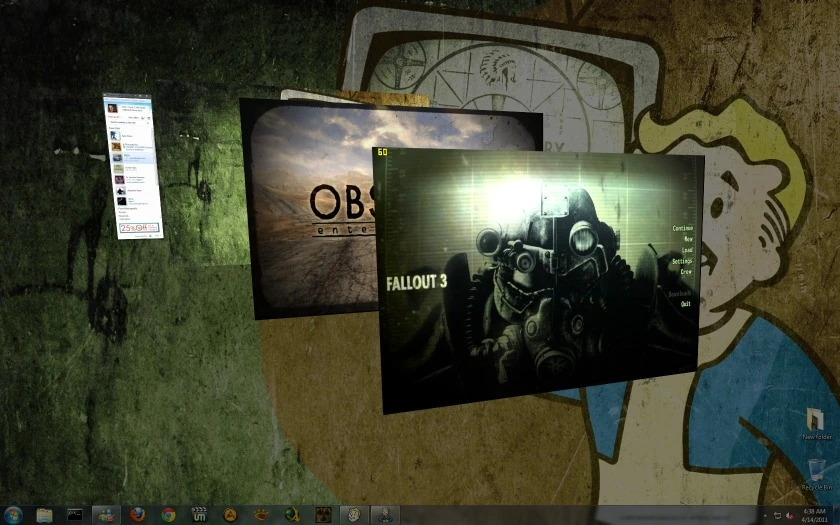
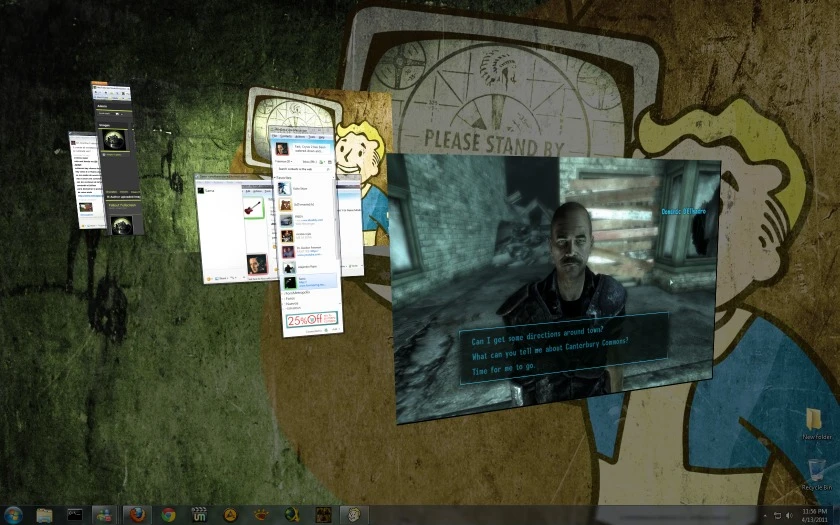
Alt + Tab Fix and Crashes Fix — uses a special fake fullscreen mode that lets Fallout 3 or New Vegas run without any fullscreen issues. Fully automatic detection.
Fallout Fullscreen by BUDA20
*** From now on, I will continue my development
on this new program:
GameCompanion - Alt Tab Fix Gamma Screenshots and more
http://www.fallout3nexus.com/downloads/file.php?id=16478
. Fix Alt + Tab (Instant Switch) (At least one window must be open to use "Alt+Tab to switch to it")
. Alt + F4 (Instant Close)
. Improve Performance, Reduce Stuttering
. No crashes due to full-screen issues
. Alt + PrintScreen copies the image to the clipboard
. 100% compatible with FOSE, NVSE, 4GB (Modded Fallout3.exe and fnv4gb)
. 100% auto-detection
. 100% Auto-Configuration
This mod is designed for all players and can serve as a helpful performance booster and stability tool for the game.
And a great tool for mod developers.
Place the Fallout_Fullscreen.exe file in the same folder as the Fallout executable.
2: Run the game using Fallout_Fullscreen.exe
Uninstall: Set fullscreen back in Launcher Options, then run the game as usual.
Changelog: at the bottom of the description.
Note:
Contrary to popular belief, I recommend enabling Windows Aero.
You can add the mod as a Non-Steam Game if you want to launch it from the Steam interface.
But this isn’t necessary. As long as Steam is running, you can launch any version directly from Fallout_Fullscreen.exe, a shortcut, or a pinned icon.
1 Run FOMM
Press the Settings button twice
In the last tab, under Custom Launch Command, enter the executable name: Fallout_Fullscreen.exe
**Icon & Access**
After placing the file in the Fallout exe folder.
You can drag to the taskbar in Windows 7 to pin the icon.
Or creating a Windows shortcut.
fose, nvse, or Steam are automatically detected.
Why this?
Because this ensures Fallout is 100% compatible with other programs, you can ALT+Tab without any delay.
Run programs like Task Manager on top of the game, or MSN chat windows, GECK, GPU-Z, etc.
It is proven that Fallout runs more stable that way.
Why this mod? There are other scripts that do the same thing.
Not like this, auto-detection, full automation, detection of fose or nvse and 4GB mods.
Prerender frames or Flip Queue Size
Has an important impact on the games, especially in the shutter effects.
And can behave differently between cards and drivers.
But if you don't have smooth gameplay, it's worth a try.
The value that works best for me (and I mean A HUGE DIFFERENCE) is 0 (zero).
HD5870 using RadeonPro to set Oblivion and Fallout to zero queue.
This applies to NVIDIA as well and is called Prerender or Frames Ahead.
For some people, disabling desktop composition can also reduce stuttering.
But can Introduce Tearing.
Please comment, any feedback is welcome.
I can't Alt + Tab
Open another window, like a folder, before launching the tool. If you forget, press Ctrl+Alt+Del to open Task Manager, then try again. (FOMM works perfectly for this.)
Mouse pointer disappears when alt+tabbing to another application.
Go to the bottom of the screen and click, like clicking the taskbar, to make the cursor reappear.
I can't use WinKey+Tab for the Aero effect (Vista and 7 only)
This effect cannot be triggered while in Fallout. First, alt+tab to another window.
Brightness, Contrast and Gamma Correction
In-game gamma does not function in this mode; there's a dedicated tool for that.
Fix using Gamma Panel: download link -> http://majorgeeks.com/Gamma_Panel_d2796.html
Blurred textures, you see like 5 meters in front of your character
That's because anisotropic filtering doesn't work in this mode (for some video cards/drivers).
To fix this issue, force anisotropic filtering at the driver level in your graphics control panel, or add the relevant executable files to your game profile.
(Remember: Anisotropic is NOT Anti-aliasing. Do not force anti-aliasing in Fallout; select it from the game/FOMM options.)
If you are using Stardock themes
It appears FalloutNV.exe or Fallout3.exe must be added to the Exclusions list in Stardock MyColors (reported by xombie37)
I want to disable fose, nvse, or the 4GB patch mod.
If you run the mod directly:
.Add a minus sign in the file name. For example, rename fose_loader.exe to fose_loader-.exe, and that's it — it will no longer be loaded.
If you use FOMM:
.Choose File, Launch Game, and pick your option.
Black bar at the bottom of the screen
Update your Fallout_Fullscreen.exe to the latest version.
If manual configuration is required
This ONLY applies if you do not have write access to FalloutPref.ini
(If this was not intentional, ask how to fix it)
First, try setting the game to Windowed mode and matching the resolution to your desktop.
This can also be done in Launcher Options or FOMM.
or in (My Documents Fallout 3 or NV) FalloutPref.ini
For example, change these parameters:
iSize W=1680
iSize H=1050
And set windowed changing this to 0
bFull Screen=0
Please report any issues you encounter or the success rate of this mod — good feedback helps everyone.
Let me know if it works out of the box too.
Fallout 3: http://www.fallout3nexus.com/downloads/file.php?id=16001
New Vegas: http://www.newvegasnexus.com/downloads/file.php?id=41381
Oblivion: http://www.tesnexus.com/downloads/file.php?id=38800
This is my first Mod on the Nexus, I hope it's helpful.
By BUDA20
Argentina
Fallout Fullscreen Changelog:
*** v 2.2 ***
.Removed in-game Steam Community, added in v2.0
It will be added in a future release.
Steam compatibility is working fine.
Can be used in any version of the game.
*** 2.1 ***
.Fixed: Loop condition in the Steam version of the game
*** 2.0 ***
.Steam games now compatible
.Faster game load and detection
Blocking user input is no longer needed
Prevent the taskbar from appearing on top of the game
Prevent the mouse from showing both the Windows and game pointers.
.Fixed: FalloutPref.ini not detected in non-English systems
New detection system is now more accurate
.Detection: if the game is already running (and returns focus to you)
.Detection: Whether Steam is running (Steam version)
.A more robust way to achieve fake fullscreen
.More compatible with slower computers (if Fallout takes a while to load)
Windows on the primary display are minimized to prevent interference
New Vegas version now has its own icon
...
*** From now on, I will continue my development
on this new program:
GameCompanion - Alt Tab Fix Gamma Screenshots and more
http://www.fallout3nexus.com/downloads/file.php?id=16478
This program runs Fallout 3 or Fallout New Vegas in "Fake Fullscreen Mode."
. Fix Alt + Tab (Instant Switch) (At least one window must be open to use "Alt+Tab to switch to it")
. Alt + F4 (Instant Close)
. Improve Performance, Reduce Stuttering
. No crashes due to full-screen issues
. Alt + PrintScreen copies the image to the clipboard
. 100% compatible with FOSE, NVSE, 4GB (Modded Fallout3.exe and fnv4gb)
. 100% auto-detection
. 100% Auto-Configuration
This mod is designed for all players and can serve as a helpful performance booster and stability tool for the game.
And a great tool for mod developers.
Install:
Place the Fallout_Fullscreen.exe file in the same folder as the Fallout executable.
2: Run the game using Fallout_Fullscreen.exe
Uninstall: Set fullscreen back in Launcher Options, then run the game as usual.
Changelog: at the bottom of the description.
Note:
Contrary to popular belief, I recommend enabling Windows Aero.
Steam
You can add the mod as a Non-Steam Game if you want to launch it from the Steam interface.
But this isn’t necessary. As long as Steam is running, you can launch any version directly from Fallout_Fullscreen.exe, a shortcut, or a pinned icon.
Fallout Mod Manager (Integration, optional but recommended)
1 Run FOMM
Press the Settings button twice
In the last tab, under Custom Launch Command, enter the executable name: Fallout_Fullscreen.exe
**Icon & Access**
After placing the file in the Fallout exe folder.
You can drag to the taskbar in Windows 7 to pin the icon.
Or creating a Windows shortcut.
fose, nvse, or Steam are automatically detected.
**Mini FAQ:**
Why this?
Because this ensures Fallout is 100% compatible with other programs, you can ALT+Tab without any delay.
Run programs like Task Manager on top of the game, or MSN chat windows, GECK, GPU-Z, etc.
It is proven that Fallout runs more stable that way.
Why this mod? There are other scripts that do the same thing.
Not like this, auto-detection, full automation, detection of fose or nvse and 4GB mods.
Tips for reducing stutter and ensuring smooth gameplay:
Prerender frames or Flip Queue Size
Has an important impact on the games, especially in the shutter effects.
And can behave differently between cards and drivers.
But if you don't have smooth gameplay, it's worth a try.
The value that works best for me (and I mean A HUGE DIFFERENCE) is 0 (zero).
HD5870 using RadeonPro to set Oblivion and Fallout to zero queue.
This applies to NVIDIA as well and is called Prerender or Frames Ahead.
For some people, disabling desktop composition can also reduce stuttering.
But can Introduce Tearing.
Any Issues?
Please comment, any feedback is welcome.
I can't Alt + Tab
Open another window, like a folder, before launching the tool. If you forget, press Ctrl+Alt+Del to open Task Manager, then try again. (FOMM works perfectly for this.)
Mouse pointer disappears when alt+tabbing to another application.
Go to the bottom of the screen and click, like clicking the taskbar, to make the cursor reappear.
I can't use WinKey+Tab for the Aero effect (Vista and 7 only)
This effect cannot be triggered while in Fallout. First, alt+tab to another window.
Brightness, Contrast and Gamma Correction
In-game gamma does not function in this mode; there's a dedicated tool for that.
Fix using Gamma Panel: download link -> http://majorgeeks.com/Gamma_Panel_d2796.html
Blurred textures, you see like 5 meters in front of your character
That's because anisotropic filtering doesn't work in this mode (for some video cards/drivers).
To fix this issue, force anisotropic filtering at the driver level in your graphics control panel, or add the relevant executable files to your game profile.
(Remember: Anisotropic is NOT Anti-aliasing. Do not force anti-aliasing in Fallout; select it from the game/FOMM options.)
If you are using Stardock themes
It appears FalloutNV.exe or Fallout3.exe must be added to the Exclusions list in Stardock MyColors (reported by xombie37)
I want to disable fose, nvse, or the 4GB patch mod.
If you run the mod directly:
.Add a minus sign in the file name. For example, rename fose_loader.exe to fose_loader-.exe, and that's it — it will no longer be loaded.
If you use FOMM:
.Choose File, Launch Game, and pick your option.
Black bar at the bottom of the screen
Update your Fallout_Fullscreen.exe to the latest version.
If manual configuration is required
This ONLY applies if you do not have write access to FalloutPref.ini
(If this was not intentional, ask how to fix it)
First, try setting the game to Windowed mode and matching the resolution to your desktop.
This can also be done in Launcher Options or FOMM.
or in (My Documents Fallout 3 or NV) FalloutPref.ini
For example, change these parameters:
iSize W=1680
iSize H=1050
And set windowed changing this to 0
bFull Screen=0
Please report any issues you encounter or the success rate of this mod — good feedback helps everyone.
Let me know if it works out of the box too.
Fallout 3: http://www.fallout3nexus.com/downloads/file.php?id=16001
New Vegas: http://www.newvegasnexus.com/downloads/file.php?id=41381
Oblivion: http://www.tesnexus.com/downloads/file.php?id=38800
This is my first Mod on the Nexus, I hope it's helpful.
By BUDA20
Argentina
Fallout Fullscreen Changelog:
*** v 2.2 ***
.Removed in-game Steam Community, added in v2.0
It will be added in a future release.
Steam compatibility is working fine.
Can be used in any version of the game.
*** 2.1 ***
.Fixed: Loop condition in the Steam version of the game
*** 2.0 ***
.Steam games now compatible
.Faster game load and detection
Blocking user input is no longer needed
Prevent the taskbar from appearing on top of the game
Prevent the mouse from showing both the Windows and game pointers.
.Fixed: FalloutPref.ini not detected in non-English systems
New detection system is now more accurate
.Detection: if the game is already running (and returns focus to you)
.Detection: Whether Steam is running (Steam version)
.A more robust way to achieve fake fullscreen
.More compatible with slower computers (if Fallout takes a while to load)
Windows on the primary display are minimized to prevent interference
New Vegas version now has its own icon
...
This tool is provided by the third party [bufftool]

Download Mods For Free
Install LagoFast, start Fallout 3 - Game of the Year Edition and play with the mods you love.
We use cookies to make interactions with our websites andservices easy and meaningful. For more information aboutthe cookies we use or to find out how you can disable cookies, click here.