Carve Timer Skip & Fast Return
Autor:godoakosLast updated:07/08/2022 05:27:44176.1K20KB

Pre-dependencies

Mod Introduction
#Works with Sunbreak/TU1 (Aug 11)# Skip carve timer and quest ending animation! Customizable buttons and settings! Autodetects d2d plugin for extra functionality!
### Carve Timer Skip & Fast Return ###
(Formerly Better Than Hanging)
Works with Sunbreak Demo! Make sure to get the latest REFramework for it to work!
RE Framework script to skip the end-of-quest return timer and/or the animation that plays after the timer.
You can now return to your wyverian waifus in SECONDS.
I also packed a bunch of Lua tables for keybinds — feel free to use them in your mods!
Also make sure to check out Bolt's killcam skip and slow-mo mod based on my code!
Remove Monster Kill-Cam Plus Stylish Slow-Mo Finishers
Please consider buying me a coffee to sip while I cook up some more mods:
https://ko-fi.com/godoakos
### Installation ###
0.a. Download and Install RE Framework
https://www.nexusmods.com/monsterhunterrise/mods/26
0.b Download and Install the d2d plugin for RE Framework
https://www.nexusmods.com/monsterhunterrise/mods/134
Extract the .zip into your MH Rise root directory
C:\Program Files (x86)\Steam\steamapps\common\Monster Hunter Rise
- You should have both bth.lua and the bth folder in <MH RISE ROOT>\reframework\autorun
### Usage ###
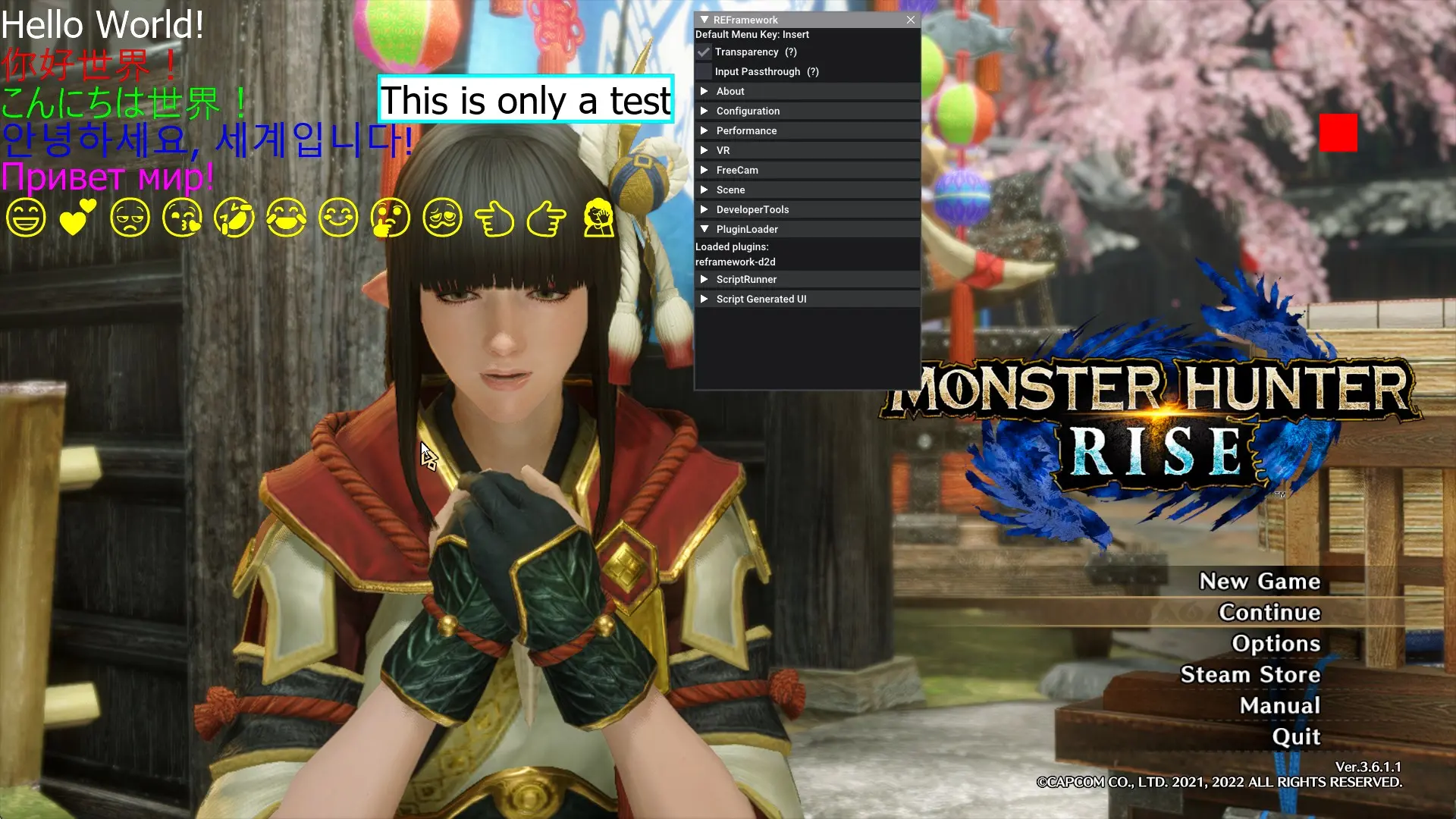
If the script is loaded correctly, the RE Framework GUI (press Insert by default to open) will appear.
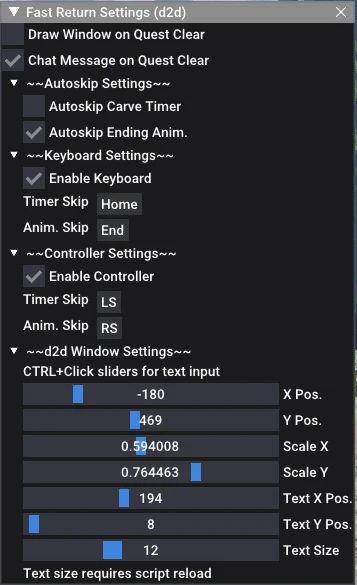
"Fast Return Settings" to open the mod's settings under Script Generated UI
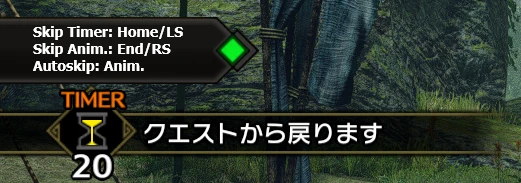
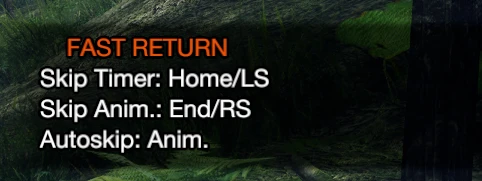
A chat message will appear during the carve timer, showing which buttons you can press to skip the carve timer and/or the following animation.
If enabled in the settings, pressing the default keys HOME/L3 (countdown) or END/R3 (animation) will also skip them.
You can also set up key bindings and auto-skip in the settings.
Key/Button combos are also supported: just hold the desired combination for a few seconds.
If you have the d2d plugin installed, a d2d window will appear during the carve timer. You can adjust its position, size, etc. in the settings!
Your settings are autosaved, enjoy!
### FAQ ###
A: Yes, it is compatible with Sunbreak.
A: Yes, it works! Make sure to get the latest REFramework and d2d plugins.
Q: I'm getting a WIC error, what do?
A: You probably have the d2d feature enabled, but the images folder wasn't extracted correctly.
**Q: Vortex not working?**
A: Unfortunately, Vortex unpacks the archive in a weird way. I'd recommend a manual install over using mod managers.
Q: The reframework 1.1.1 update broke this plugin, wat do?
A: Make sure you update your paths to work with the new reframework paths.
Old path: <MH RISE ROOT>/autorun
New path: <MH RISE ROOT>/reframework/autorun
Q: I'm getting a black screen when skipping the timer/animation. Is this a bug?
A: No, this is intended behavior in the game and only occurs in multiplayer. The host always waits for clients to catch up before the rewards screen appears. This happens even without the mod if the host's post-countdown animation finishes earlier.
(Formerly Better Than Hanging)
Works with Sunbreak Demo! Make sure to get the latest REFramework for it to work!
RE Framework script to skip the end-of-quest return timer and/or the animation that plays after the timer.
You can now return to your wyverian waifus in SECONDS.
I also packed a bunch of Lua tables for keybinds — feel free to use them in your mods!
Also make sure to check out Bolt's killcam skip and slow-mo mod based on my code!
Remove Monster Kill-Cam Plus Stylish Slow-Mo Finishers
Please consider buying me a coffee to sip while I cook up some more mods:
https://ko-fi.com/godoakos
### Installation ###
0.a. Download and Install RE Framework
https://www.nexusmods.com/monsterhunterrise/mods/26
0.b Download and Install the d2d plugin for RE Framework
https://www.nexusmods.com/monsterhunterrise/mods/134
Extract the .zip into your MH Rise root directory
C:\Program Files (x86)\Steam\steamapps\common\Monster Hunter Rise
- You should have both bth.lua and the bth folder in <MH RISE ROOT>\reframework\autorun
### Usage ###
If the script is loaded correctly, the RE Framework GUI (press Insert by default to open) will appear.
"Fast Return Settings" to open the mod's settings under Script Generated UI
A chat message will appear during the carve timer, showing which buttons you can press to skip the carve timer and/or the following animation.
If enabled in the settings, pressing the default keys HOME/L3 (countdown) or END/R3 (animation) will also skip them.
You can also set up key bindings and auto-skip in the settings.
Key/Button combos are also supported: just hold the desired combination for a few seconds.
If you have the d2d plugin installed, a d2d window will appear during the carve timer. You can adjust its position, size, etc. in the settings!
Your settings are autosaved, enjoy!
### FAQ ###
A: Yes, it is compatible with Sunbreak.
A: Yes, it works! Make sure to get the latest REFramework and d2d plugins.
Q: I'm getting a WIC error, what do?
A: You probably have the d2d feature enabled, but the images folder wasn't extracted correctly.
**Q: Vortex not working?**
A: Unfortunately, Vortex unpacks the archive in a weird way. I'd recommend a manual install over using mod managers.
Q: The reframework 1.1.1 update broke this plugin, wat do?
A: Make sure you update your paths to work with the new reframework paths.
Old path: <MH RISE ROOT>/autorun
New path: <MH RISE ROOT>/reframework/autorun
Q: I'm getting a black screen when skipping the timer/animation. Is this a bug?
A: No, this is intended behavior in the game and only occurs in multiplayer. The host always waits for clients to catch up before the rewards screen appears. This happens even without the mod if the host's post-countdown animation finishes earlier.
This tool is provided by the third party [bufftool]

Download Mods For Free
Install LagoFast, start MONSTER HUNTER RISE and play with the mods you love.
We use cookies to make interactions with our websites andservices easy and meaningful. For more information aboutthe cookies we use or to find out how you can disable cookies, click here.