coavins damage and dps overlay
Autor:coavinsLast updated:13/11/2022 17:03:16161.4K22.7MB

Pre-dependencies

Mod Introduction
Records damage dealt and can display a lot of information in a highly customizable overlay.
Please do not use the information from this tool to harass other players. Every party member you meet is doing their best, and giving unsolicited feedback on their performance can be hurtful—especially to those who may have less experience than you.
This mod is NOT intended to reveal any hidden information about monsters or give the player any unfair advantage. The goal is to help players know how they are performing without affecting the intended playing experience.
This mod has been updated to support the Sunbreak expansion.
Prerequisites
Contributing
Please submit your contributions to the repository. GitHub! This mod is 100% open source.
Contributors
Install
1. Extract the .zip file into the "reframework" folder inside your game's installation directory.
You should end up with the following folder structure:
2. If the game was already running, click "Reset scripts" in the REFramework window.
Configuration
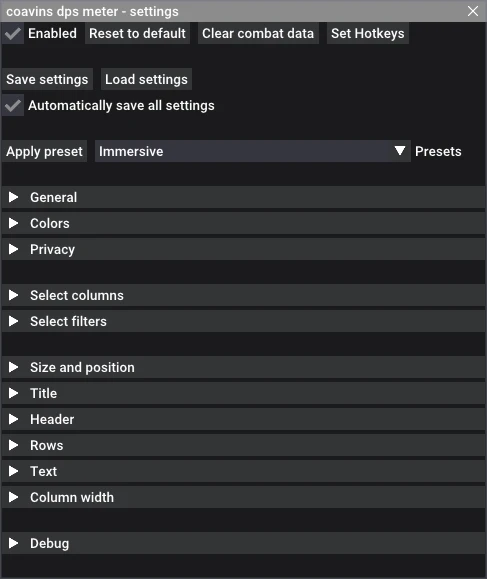
You can configure settings from the UI inside the REFramework window.
Choose characters
You can choose to display damage dealt by any of the following:
Damage dealt by Wyvern Riding can be optionally attributed to either the player who is riding it, or the monster they are riding.
Select columns
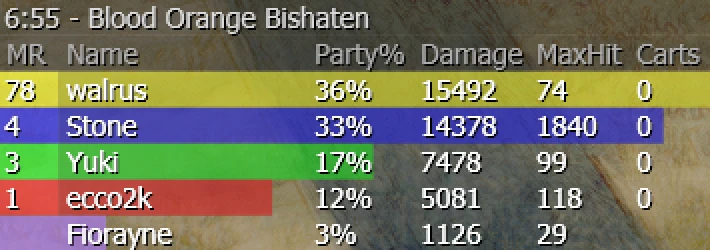
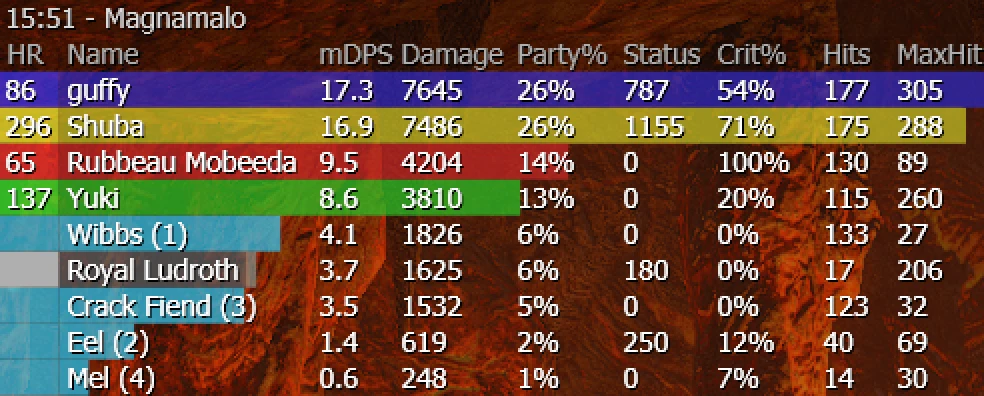
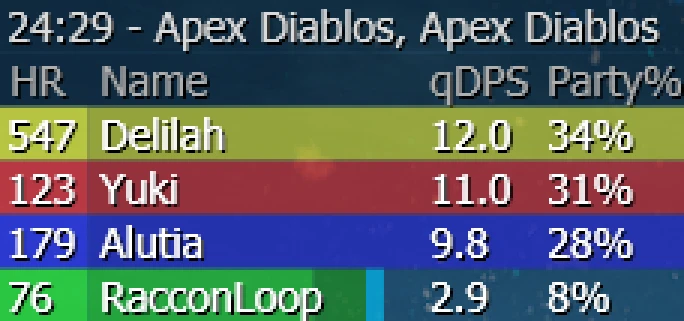
The following columns can be chosen to display on the table for each player:
You can also configure the filters to show all damage dealers, not just players: buddies, monsters, and villager NPCs can appear as separate rows in the table.
Usage
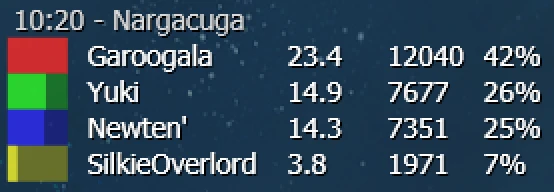
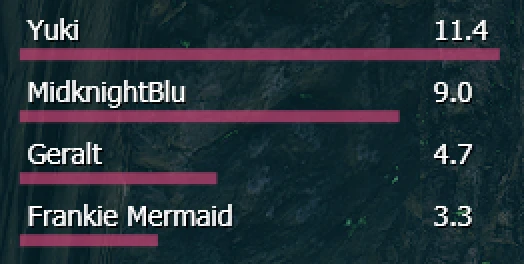
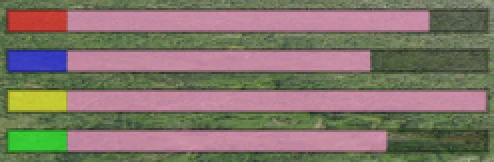
The overlay uses the same color-coding for each party member as the player names on the left side of the screen, with extra colors indicating different damage types.
By default:
This mod is NOT intended to reveal any hidden information about monsters or give the player any unfair advantage. The goal is to help players know how they are performing without affecting the intended playing experience.
This mod has been updated to support the Sunbreak expansion.
Prerequisites
- REFramework
- REFramework Direct2D (high res, optional)
Contributing
Please submit your contributions to the repository. GitHub! This mod is 100% open source.
- Translations
- Custom Presets
- Bugfixes and enhancements
Contributors
Install
1. Extract the .zip file into the "reframework" folder inside your game's installation directory.
You should end up with the following folder structure:
MonsterHunterRise
 reframework/
  autorun/
mhrise-coavins-dps.lua
mhrise-coavins-dps/
<Numerous .lua files>
  data/
mhrise-coavins-dps/
 colors/
 presets/
 **saves/**
I notice you've provided a folder path "translations/" but no actual text to translate.

Could you please share the specific text you'd like me to translate? I'm ready to help with your game localization needs.
 I'd be happy to help with the game localization translation, but it seems that the text you mentioned (`default.json`) wasn't included in your message. Could you please provide the actual content you'd like me to translate?
2. If the game was already running, click "Reset scripts" in the REFramework window.
Configuration
You can configure settings from the UI inside the REFramework window.
- Open the REFramework menu (default key: "Insert")
- Expand "Script Generated UI"
- Click on the coavins DPS meter "Open Settings" button
Choose characters
You can choose to display damage dealt by any of the following:
- Players
- Buddies
- Followers
- Large monsters
- Small Monsters & Rampage Villagers
Damage dealt by Wyvern Riding can be optionally attributed to either the player who is riding it, or the monster they are riding.
Select columns
The following columns can be chosen to display on the table for each player:
- Player HR
- Player name
- qDPS (based on elapsed quest duration)
- mDPS (based on time selected monsters have spent in combat)
- pDPS (based on time each player has been in the quest with you)
- Total damage
- Poison Damage (Tick Damage)
- Blast damage
- Status buildup (paralysis, sleep, poison, blast, stun, etc.)
- Party %
- Best %
- Hits
- MaxHit (largest single hit)
- Crit % (critical hit rate)
- Weak % (percentage of hits that were weak due to negative affinity)
- Carts (number of times player was carted/killed)
You can also configure the filters to show all damage dealers, not just players: buddies, monsters, and villager NPCs can appear as separate rows in the table.
Usage
The overlay uses the same color-coding for each party member as the player names on the left side of the screen, with extra colors indicating different damage types.
By default:
- Light player color is physical damage
- Dark player color indicates elemental damage
- Pale red indicates status buildup
- Pink is poison damage
- Orange is blast damage
- Light blue is damage dealt by your Palico or Palamute.
This tool is provided by the third party [bufftool]

Download Mods For Free
Install LagoFast, start MONSTER HUNTER RISE and play with the mods you love.
We use cookies to make interactions with our websites andservices easy and meaningful. For more information aboutthe cookies we use or to find out how you can disable cookies, click here.